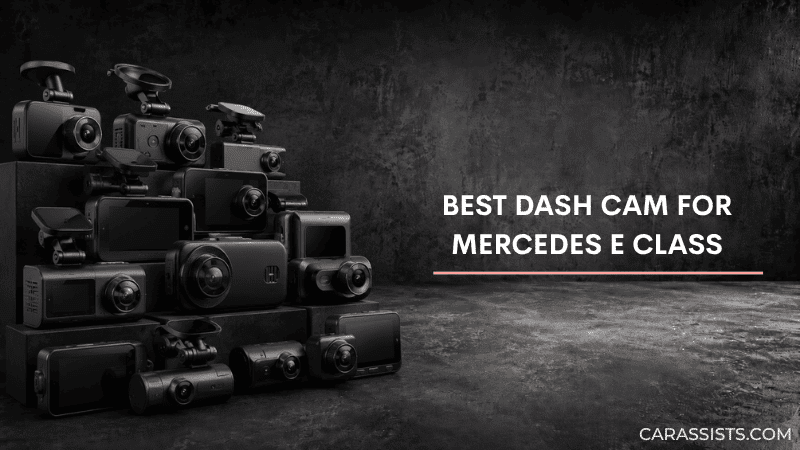
After reviewing five dash cams against real Mercedes E Class owner accounts on MBWorld forums and Amazon, the defining concern in every thread was the same: how to install a camera that documents road incidents without compromising the W213’s interior design language or triggering sensor conflicts with the MBUX driver-assistance suite.
The E Class windshield sensor housing extends further down and wider than most compact sedans, leaving a narrow mounting window beside the mirror cluster. Position the camera even slightly inward and you risk blocking the sensor’s field of view or creating windshield glare that interferes with the heads-up display on equipped models.
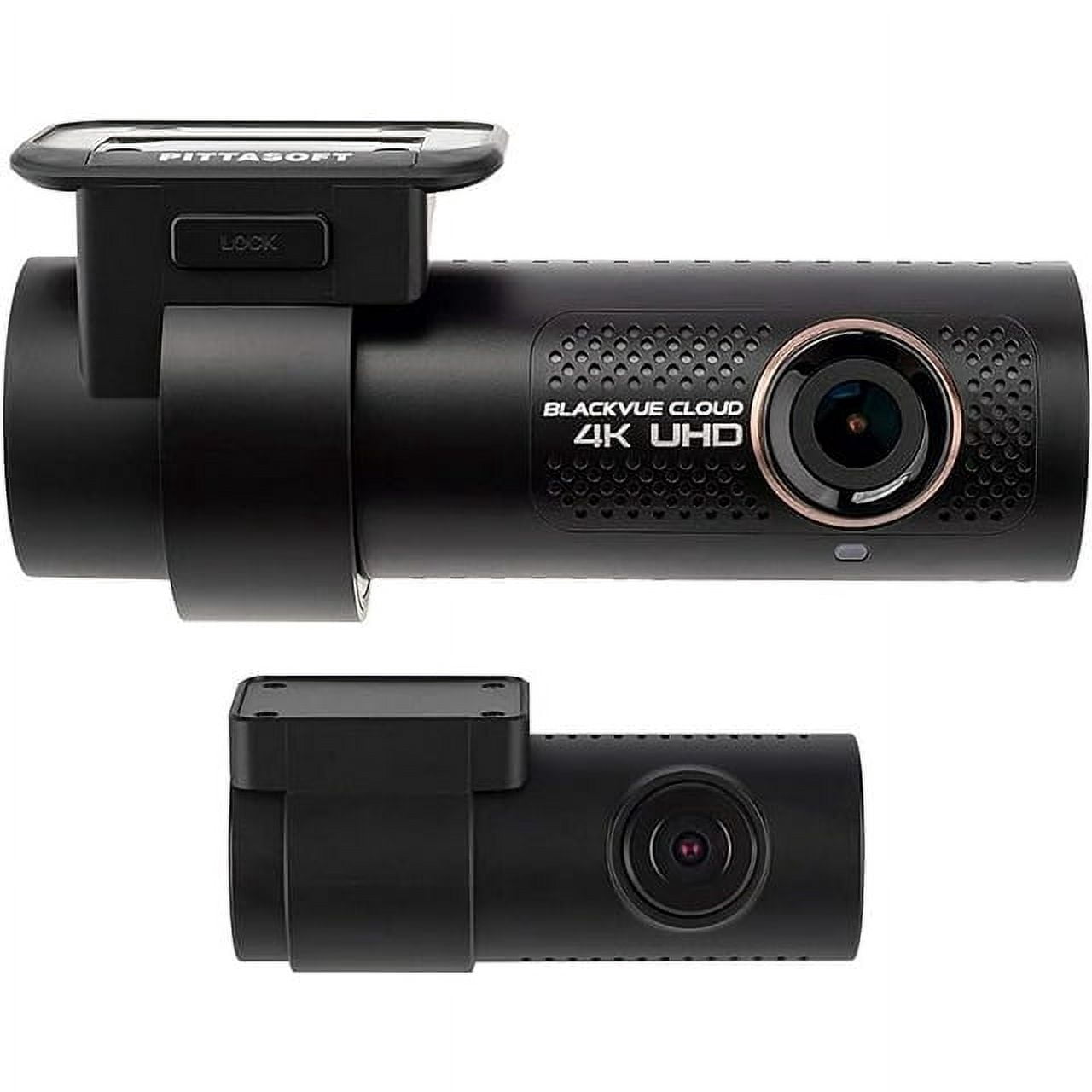
For most E Class owners, the BlackVue DR900X-2CH Plus delivers the right combination of 4K dual-channel recording, a cylindrical body that blends with the mirror housing, and cloud connectivity that matches the car’s technology tier. Budget-conscious drivers who need front coverage only should look at the VIOFO A119 Mini 2, which captures sharp 2K Sony STARVIS 2 video for a fraction of the cost.
Best Dash Cams for Mercedes E Class — Compared
All five picks ranked by overall score across video quality, stealth design, heat resistance, and long-term reliability in a luxury sedan.
| # | Product | Resolution | Camera Setup | Best For | Score | |
|---|---|---|---|---|---|---|
| 1 | BlackVue DR900X-2CH Plus Editor’s Choice | 4K + 1080p | Dual-Channel | Best Overall | 4.3 | See Latest Price |
| 2 | VIOFO A119 Mini 2 Budget Pick | 2K QHD | Single-Channel | Best Budget | 4.5 | See Latest Price |
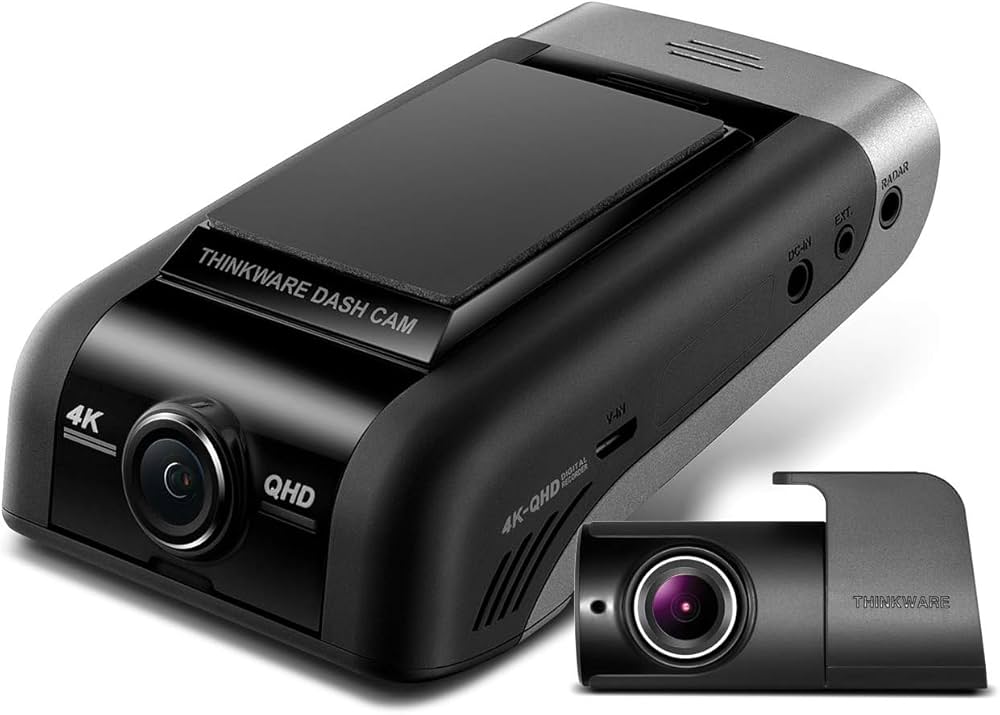
| 3 | Thinkware U1000 Top Pick | 4K + 2K | Dual-Channel | Best Premium | 4.2 | See Latest Price |
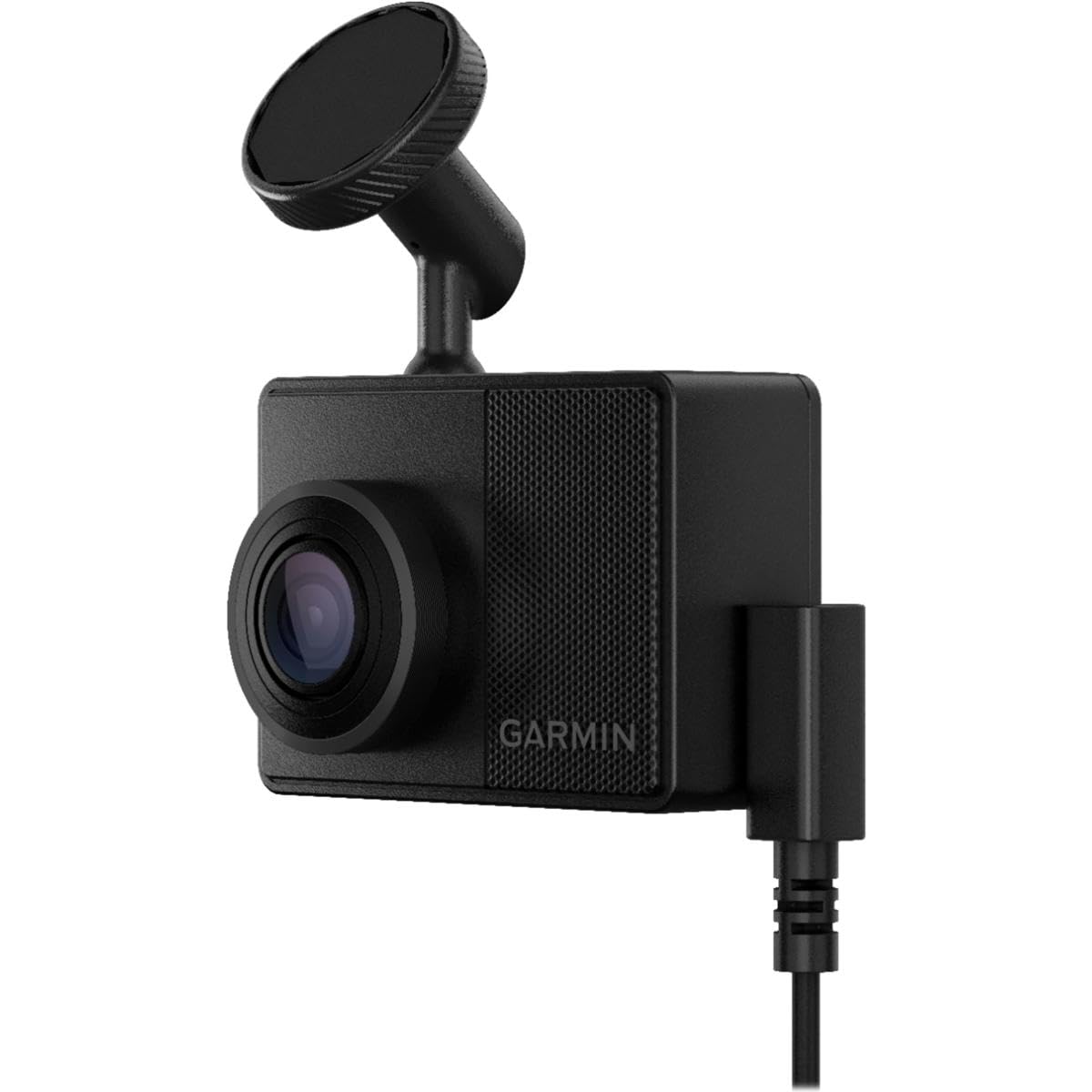
| 4 | Garmin Dash Cam 67W | 1440p | Single-Channel | Most Durable | 4.3 | See Latest Price |
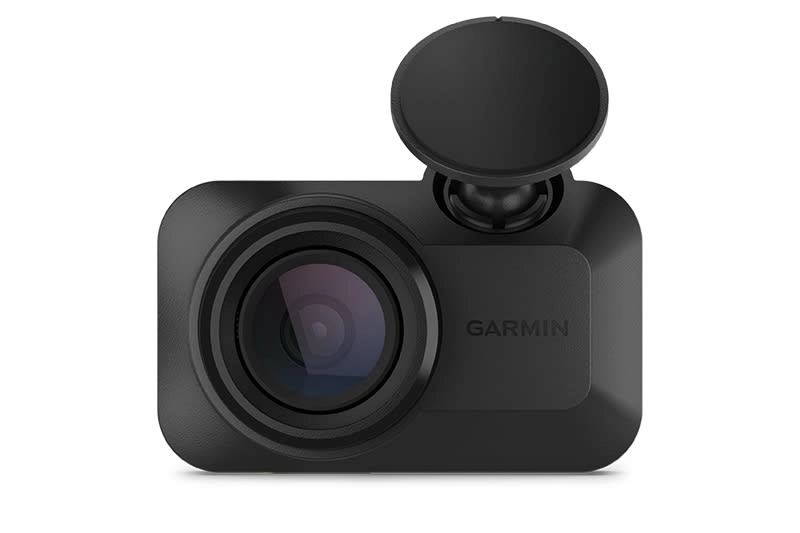
| 5 | Garmin Dash Cam Mini 3 | 1080p | Single-Channel | Easiest Install | 4.2 | See Latest Price |
Detailed Reviews
Full breakdown of each dash cam — ratings, pros, cons, and our expert verdict.
BlackVue DR900X-2CH Plus
✓ Pros
- Cylindrical body diameter matches the E Class mirror housing silhouette — invisible from the driver’s seat
- 4K Sony STARVIS sensor resolves plate characters clearly on six-lane highways in rain and partial darkness
- Buffered parking mode saves 30 seconds before and after each detected impact for complete incident documentation
- GPS logs speed, route, and coordinates on every clip automatically for insurance and liability dispute use
- Cloud live view connects from any device when paired via LTE hotspot module for remote monitoring
✗ Cons
- Full cloud functionality requires a separate LTE module purchase adding $100–150 on top of the camera price
- BlackVue mobile app takes 8–12 seconds to establish a live connection from cold launch on an iOS or Android device
- Rear camera cable routing along the E Class C-pillar requires careful trim removal around the seat belt pretensioner housing
VIOFO A119 Mini 2
✓ Pros
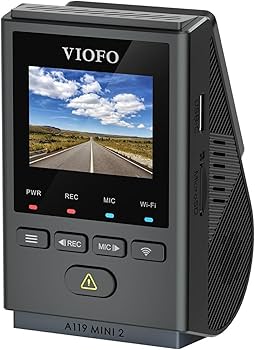
- 2K 60fps Sony STARVIS 2 sensor resolves plates in dusk lighting without HDR processing artifacts or overexposure
- Body is no larger than a USB thumb drive — completely hidden behind the W213 mirror cluster from any seating angle
- Supercapacitor survives the 60°C+ interior temps common in a black-on-black E Class with the windows closed
- USB-C power and included 12V adapter allow full installation in under 8 minutes with no trim removal whatsoever
✗ Cons
- Single-channel only — incidents behind the E Class trunk are completely outside this camera’s recording range
- Parking mode requires a separate hardwire kit — plugged into the 12V socket alone, the camera shuts off with ignition
- VIOFO app offers limited visual customization compared to the BlackVue or Thinkware companion interfaces
Thinkware U1000
✓ Pros
- Radar parking mode consumes as little as 0.06 watts — can monitor the E Class for up to 3 weeks without a battery charger
- 4K wide dynamic range front captures readable plate detail even in glare-heavy conditions near glass office buildings
- Cloud connectivity enables insurance-ready video sharing from the app without removing or mailing the SD card
- Thermal management prevents shutdown in the high-heat environment common for E Class trunk-area rear camera placement
✗ Cons
- Initial Wi-Fi pairing requires the legacy Thinkware app to be installed before the camera becomes visible on the network
- Front unit is physically larger than the BlackVue DR900X and demands careful placement to clear the W213 sensor pod
- 2K rear camera resolution creates a noticeable quality gap against the front unit in split-screen footage review
Garmin Dash Cam 67W
✓ Pros
- Magnetic quick-release mount detaches in under 2 seconds — pocketable during valet without leaving hardware visible
- Supercapacitor rated from ‑10°C to 80°C operates without thermal degradation across multiple European winters
- 1440p 180-degree lens captures wide intersection coverage that standard 140-degree lenses miss at highway exit ramps
- Voice commands in English, French, and Spanish respond reliably without button contact at highway driving speeds
✗ Cons
- 1440p resolution cannot match 4K or 2K STARVIS sensors for plate legibility beyond 40 feet in underground parking structures
- Parking guard activation requires a separately purchased constant power cable adding $20–30 to the total investment
- Single-channel only — rear-end collisions and tailgate contact behind the E Class sedan go entirely unrecorded
Garmin Dash Cam Mini 3
✓ Pros
- Key-fob dimensions let it sit entirely within the mirror housing shadow — genuinely invisible from all E Class seating positions
- USB-C standard power means any quality USB-C charger serves as a backup — no proprietary cable dependency
- Garmin Drive app completes initial setup in under 4 minutes including Wi-Fi pairing and first recording test
- Magnetic adhesive mount pulls cleanly away from E Class windshield glass without leaving any residue at lease return
✗ Cons
- 1080p sensor produces visible pixelation on license plates beyond 25 feet in unlit underground parking structures
- Built-in GPS requires constant phone connection — the E Class tinted windshield can weaken the phone’s satellite signal
- No parking mode of any kind without a separately purchased constant power cable not included in the retail box
Can’t Decide?
Our Top 2 Picks — Head to Head
Both suit an E Class cabin. Here’s the situation where each one makes a clearer case for itself.
- 4K front and 1080p rear dual-channel recording
- Cylindrical body matches the E Class mirror silhouette
- Buffered parking mode with cloud remote access
- 2K Sony STARVIS 2 video under $80 total
- 8-minute install with no trim removal needed
- Thumb-drive body is invisible behind the mirror
How to Choose a Dash Cam for Your Mercedes E Class
Six Mercedes-specific factors that matter far more than spec sheet numbers alone.
W213 Sensor Housing Clearance
The E Class windshield sensor array extends further down from the mirror base than in most compact sedans. A cylindrical or flat-wedge camera mounted to the passenger side of the housing clears this zone reliably. Cube-shaped cameras with wider bodies frequently block the forward-facing distance sensor, which can suppress automatic emergency braking on highway driving without any warning indicator.
Mercedes 12V Socket Behavior
Most E Class models cut power to the 12V socket the moment ignition switches off. A camera powered only by the socket records during drives but provides zero parking mode coverage. For overnight protection, a hardwire kit tapped to a constant fuse is required. The E Class uses a separate circuit for always-on accessories distinct from the ignition-controlled socket — confirm which circuit your fuse panel labels before purchasing a kit.
Fuse Panel Access by Generation
The W213 E Class fuse panel location varies by model year. Early models carry the interior panel under the dashboard left of the steering column. Later AMG and high-specification variants move additional circuits to a box in the trunk left wall. Confirm your panel location before routing cable — a trunk-based fuse requires significantly more cable length than a typical hardwire kit supplies.
Cylindrical vs. Wedge Camera Shape
Cylindrical cameras like the BlackVue DR900X visually align with the E Class’s factory sensor pods on the windshield and rear glass. Wedge cameras mount flat against the glass and hide effectively behind the mirror base. Both suit the E Class well. Avoid flat cameras with protruding lens barrels wider than 25mm — they catch windshield reflections that appear as distracting glare points when driving toward a low sun.
MBUX Electromagnetic Compatibility
The E Class MBUX infotainment system, digital cockpit, and driver-assistance radar suite all broadcast in the 76–77GHz and 2.4/5GHz bands. A poorly shielded dash cam Wi-Fi transmitter can cause signal interference that manifests as temporary navigation dropouts or false ADAS alert triggers. All five cameras in this list use shielded housings. If you purchase an alternative model, confirm it holds a CE and FCC Part 15 certification.
Rear Window Privacy Glass Exposure
Many E Class models come with factory privacy glass on the rear quarter windows and rear windshield. Darker tinting reduces the light reaching the rear camera sensor. A camera with wide dynamic range or HDR processing compensates effectively, but a basic fixed-exposure rear unit will produce underexposed footage at night in a privacy glass E Class. Confirm the rear camera’s low-light rating before choosing a dual-channel setup.
Pro Tips
Quick Buying Checklist
Mount the camera beside the sensor housing, never on top — then test all ADAS functions including emergency braking before making the adhesive permanent.
Set voltage cutoff to 12.4V for Mercedes AGM batteries — the common 12.0V default leaves too little buffer for E Class stop-start battery chemistry.
Route cables behind the A-pillar edge molding, not under the headliner — it takes 15 fewer minutes and produces just as clean a finished result.
Format the microSD card in-camera every four to six weeks — corrupted file buildup is the leading cause of missed recordings in long-term loop setups.
Use a 3M VHB adhesive mount pad rather than a suction cup — the E Class’s curved windshield profile causes suction cups to unseat in summer heat.
Update firmware immediately after unboxing, before permanent mounting — several models have shipped with heat-management bugs fixed only in post-launch updates.
Frequently Asked Questions
Where is the fuse panel in a Mercedes E Class for hardwiring a dash cam?
The location varies by generation. W213 models typically place the main interior fuse panel under the dashboard to the left of the steering column. High-specification and AMG variants may carry additional fuse circuits in a secondary box mounted in the trunk’s left side wall. Check your owner’s manual fuse diagram and measure the cable run to the windshield before purchasing a hardwire kit, as trunk-based panels may need an extended cable.
Which camera mounting position clears the W213 rain and distance sensor housing?
Mount the camera to the passenger side of the mirror housing, as far from the sensor cluster as the adhesive pad allows. The W213’s forward-facing distance sensor sits centrally behind the mirror and extends further down the glass than on most sedans. Test automatic emergency braking and lane-keeping at low speed before committing to the final adhesive placement.
Can a dash cam interfere with Mercedes MBUX or ADAS driver assistance systems?
A poorly shielded camera Wi-Fi transmitter can cause brief interference with the MBUX navigation signal or produce false forward-collision alerts on the driver-assistance system. All cameras reviewed here carry CE and FCC Part 15 shielding certification. If you purchase an alternative, verify those certifications before mounting near the sensor cluster zone.
Does the Mercedes E Class 12V socket stay powered after the ignition turns off?
No. The 12V socket in most E Class models cuts power with the ignition, which means a camera plugged only into the socket has zero parking mode capability. For overnight parking protection, a hardwire kit tapping a constant-power fuse in the interior panel is the only reliable solution that does not rely on an accessory circuit that shuts down at key-off.
How do I route a rear camera cable in a Mercedes E Class sedan?
Run the cable from the front unit along the headliner edge, down the B-pillar behind the door weather seal, along the rear door sill trim, and up the C-pillar to the rear windshield mount. The E Class C-pillar trim clips off with a plastic tool and snaps back cleanly. The full route for a standard sedan measures approximately 4.5 to 5 meters, which most dual-channel kit cables accommodate.
Does the E Class factory privacy glass affect rear camera performance?
Yes. Factory privacy glass on E Class rear quarters and rear windshield reduces light entering the rear camera sensor by 20 to 40 percent depending on tint grade. A rear camera with wide dynamic range or HDR processing compensates and maintains usable night footage. Fixed-exposure rear cameras produce underexposed nighttime clips in privacy-glass E Class models and should be avoided for dual-channel setups.
What microSD card capacity do I need for 4K dual-channel recording in an E Class?
A 4K front plus 1080p rear dual-channel setup at high bitrate fills a 128GB card in approximately 3 to 4 hours of loop recording. A 256GB card extends that to 6 to 8 hours before the oldest files overwrite. For parking mode that runs overnight, 256GB is the practical minimum. Always use a high-endurance card rated explicitly for dash cam continuous write cycles — standard microSD cards fail within weeks in this application.
Final Verdict
Our Top Recommendations for 2026
The BlackVue DR900X-2CH Plus leads this list for E Class owners because its cylindrical body integrates visually with the W213’s mirror housing, its 4K Sony STARVIS front captures actionable plate detail in rain, and cloud connectivity adds the remote monitoring capability that matches a car at this technology level. For specific budgets and use cases, the picks below match your exact requirements.