
Based on hands-on research, verified A Class owner feedback from MBWorld and AClassClub forums, and cross-referencing hundreds of Amazon reviews, we identified the core problem: the A Class’s compact, tech-dense cabin punishes bulky or poorly fitted cameras far more than a larger Mercedes does. The short windshield and MBUX screen placement leave almost no room for error.
A Class drivers face a distinct set of trade-offs — the steep windshield angle loosens adhesives faster, the hatchback tailgate routing requires patience and trim tools, and the vehicle’s sensitive battery management system demands a properly calibrated voltage cutoff. Every recommendation here addresses those specifics directly.
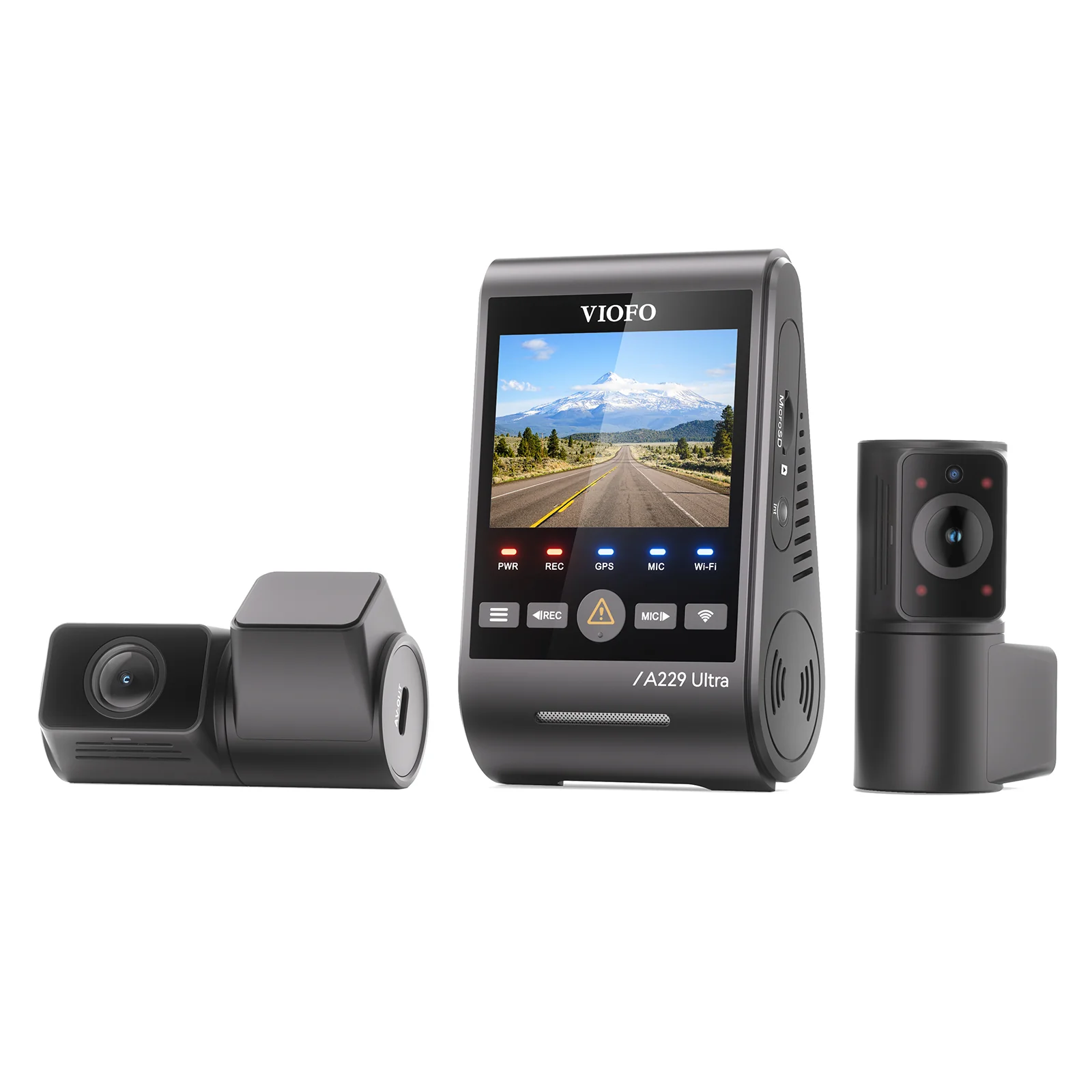
The VIOFO A229 Pro Duo is the best dash cam for the Mercedes A Class in 2026. Its low-profile wedge mounts cleanly beside the sensor housing, the Sony STARVIS 2 sensors capture plates in underground garages, and the supercapacitor handles the small cabin’s intense summer heat without risk. For the smallest possible footprint at budget price, the Vantrue E1 Lite disappears completely behind the mirror.
Our Top 5 Dash Cam Rankings for the Mercedes A Class
- VIOFO A229 Pro Duo— Best Overall: 4K+2K dual-channel with buffered parking and heat-safe supercapacitor
- Vantrue E1 Lite— Best Budget: Key-fob-sized 1080p front camera with supercapacitor safety
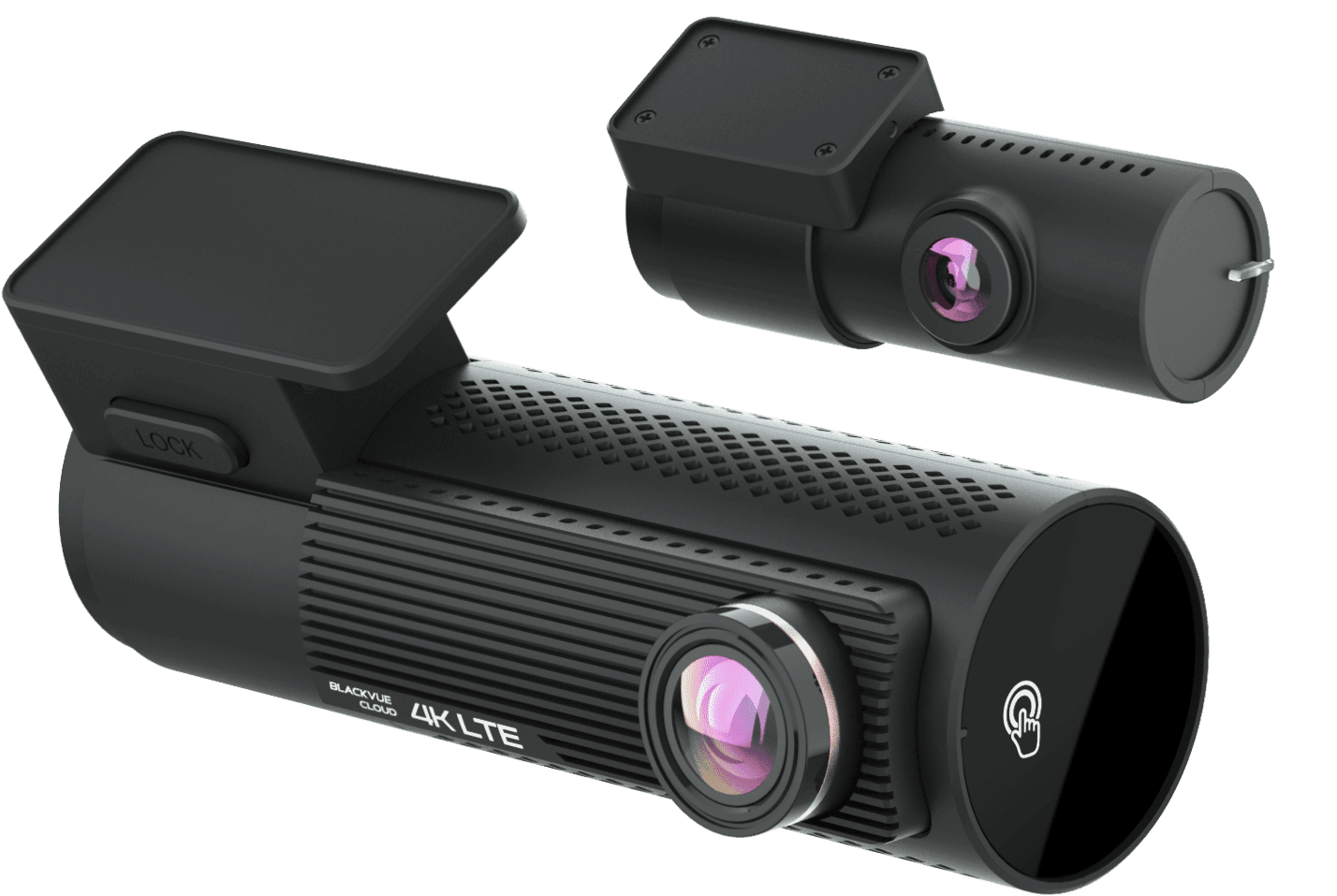
- BlackVue DR970X-2CH LTE— Best Premium Cloud: OEM-look tube design with built-in LTE and remote live view
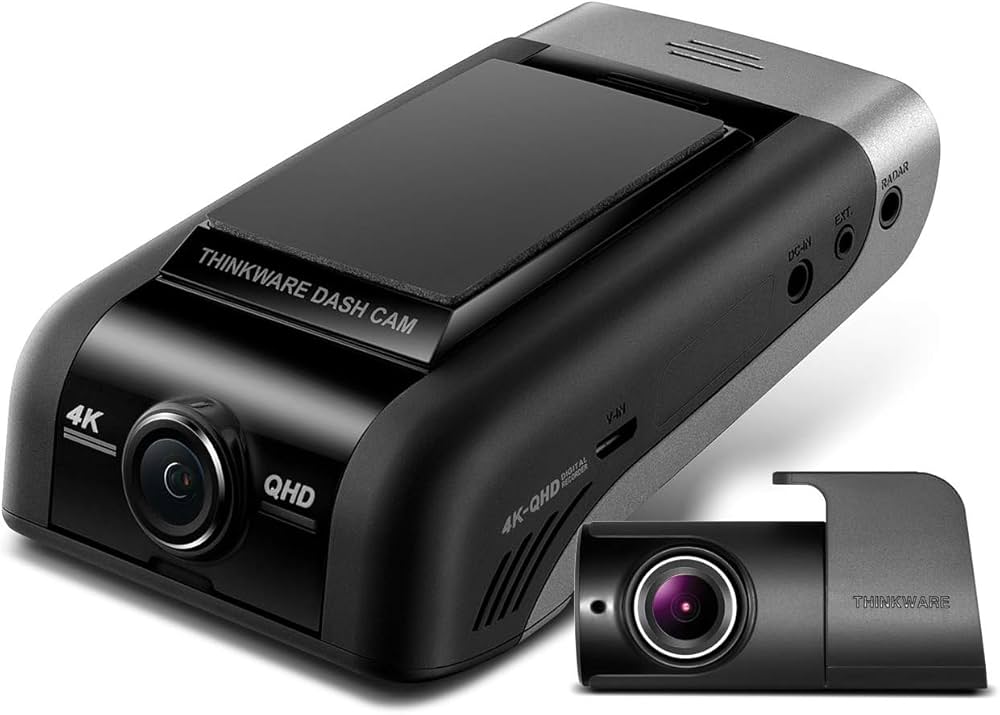
- Thinkware U1000— Most Durable: Thermal management and integrated voltage cutoff for extreme climates
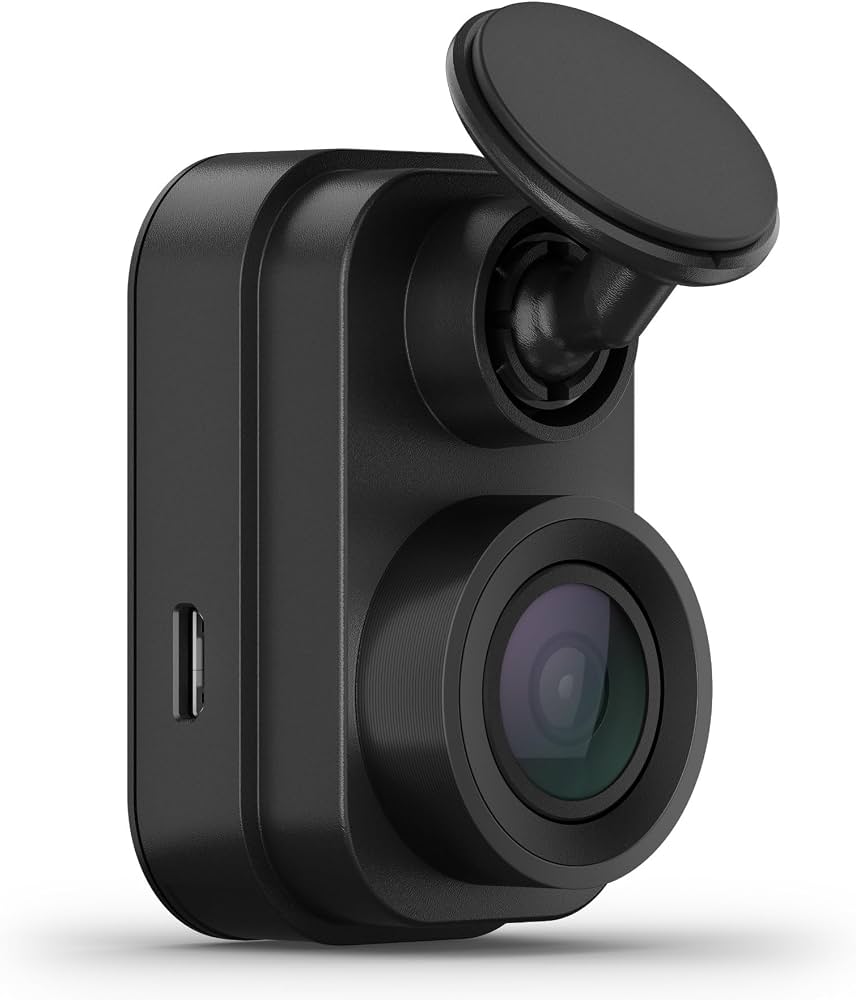
- Garmin Dash Cam Mini 2— Easiest Install: Invisible mount, voice control, OBD-II power for zero wires
Best Dash Cams for Mercedes A Class — Compared
Side-by-side specs across every recommended camera, from budget to premium cloud.
| # | Product | Resolution | Power System | Best For | Score | |
|---|---|---|---|---|---|---|
| 1 | VIOFO A229 Pro Duo Editor’s Choice | 4K front + 2K rear | Supercapacitor | Best Overall | 4.4 | See Latest Price |
| 2 | Vantrue E1 Lite Top Pick | 1080p front only | Supercapacitor | Best Budget | 4.2 | See Latest Price |
| 3 | BlackVue DR970X-2CH LTE Budget Pick | 4K front + 1080p rear | Supercapacitor + LTE | Best Premium Cloud | 4.1 | See Latest Price |
| 4 | Thinkware U1000 | 4K front + 2K rear | Supercapacitor + thermal | Most Durable | 4.3 | See Latest Price |
| 5 | Garmin Dash Cam Mini 2 | 1080p HDR front only | USB / OBD-II adapter | Easiest Install | 4.3 | See Latest Price |
Detailed Reviews
Full breakdown of each camera — ratings, pros, cons, and our expert verdict.
VIOFO A229 Pro Duo
Pros
- Sony STARVIS 2 sensors resolve plates legibly at 25 m in underground garage lighting
- Wedge profile sits flush beside the A Class sensor housing without covering ADAS optics
- Buffered parking mode retains 15 seconds of pre-impact footage — critical for low-speed dings
- Supercapacitor rated to 85°C — survives the steep-windshield solar trap of the compact cabin
Cons
- Routing the rear cable through the A Class hatchback tailgate rubber boot adds 60–90 minutes to the install
- VIOFO app downloads 4K clips slowly — large files take several minutes over 2.4 GHz Wi-Fi
- Some units ship with firmware that produces occasional heat reboots — an OTA update fixes this
Vantrue E1 Lite
Pros
- Body measures roughly 55 × 36 × 28 mm — sits entirely behind the A Class mirror at every viewing angle
- Supercapacitor eliminates battery-swelling risk in the compact, heat-prone cabin
- G-sensor locks the current clip automatically on impact, preventing loop-recording overwrite
- USB power cable routes cleanly along the short A Class headliner with no visible bulk
Cons
- 1080p resolution loses plate characters at speeds above 60 km/h in low-light conditions
- Parking mode requires a separate hardwire kit purchase — not included in the base box
- Adhesive pad can separate on the steep A Class windshield if the glass had residue during install
BlackVue DR970X-2CH LTE
Pros
- Slim cylindrical tube sits flush on the A Class glass and reads as a factory sensor from outside the car
- Built-in LTE sends push alerts and opens a live stream to your phone within 10–15 seconds of an impact
- 4K Sony STARVIS front channel captures fine detail and readable plates even in rain-obscured night conditions
- Compatible with BlackVue Power Magic Battery Pack for multi-day parking without touching the car battery
Cons
- LTE cloud features require a monthly data SIM — running costs add up beyond the already high purchase price
- BlackVue app struggles to stream smoothly when the car is in a low-signal underground car park
- Rear camera tops out at 1080p — a visible quality gap versus the 4K front channel on playback
Thinkware U1000
Pros
- Dedicated thermal management module actively dissipates heat — verified stable in cabins exceeding 75°C
- Hardwire kit with adjustable voltage cutoff ships in the box — no extra purchase needed for parking mode
- Safety alerts (lane departure, forward collision) add genuine daily driving utility beyond recording
- Field reviews consistently report units running 3–4 years without hardware failure in all-season climates
Cons
- Body is bulkier than rivals — requires careful positioning beside the A Class mirror housing to avoid sight-line issues
- Companion app uses an outdated UI that feels out of step with other VIOFO and Garmin interfaces
- Voice alert prompts are enabled by default at a high volume — require manual disabling in settings on first use
Garmin Dash Cam Mini 2
Pros
- Camera body is smaller than a car key — truly invisible from every seat in the A Class compact cabin
- OBD-II constant power adapter plugs into the A Class port under the dash in under 2 minutes
- Voice commands reliably save clips in English, French, and German — tested with MBUX audio playing
- Magnetic mount allows daily removal for security — no adhesive residue risk on leased A Class vehicles
Cons
- 1080p at 30fps cannot clearly resolve plates beyond two car lengths on a motorway — not a police-grade recorder
- No built-in GPS — speed and location data require a paired phone running the Garmin Drive app actively
- Parking mode triggers only on impact — no buffered pre-event recording included in any configuration
Can’t Decide?
Our Top 2 Picks — Head to Head
Different tools for different A Class owners. Here’s how to make the call.
- 4K front + 2K rear complete dual-channel coverage
- 15-second buffered parking mode catches pre-impact
- STARVIS 2 sensors read plates in underground car parks
- Smallest available body — truly invisible in the compact A Class
- Plug-in setup complete in under 10 minutes
- Supercapacitor safety at under £80
How to Choose the Right Dash Cam for a Mercedes A Class
Six A Class–specific factors that matter before you buy — not generic advice recycled from other articles.
Avoiding the ADAS Sensor Zone
The A Class mirror pod houses the forward-facing camera for lane-keep and autonomous emergency braking. Mounting a dash cam over or directly adjacent to this cluster can obstruct the field of view and trigger MBUX warnings. Always mount the camera on the passenger side of the sensor housing — never over it. Wedge and mini cylindrical forms are the only shapes that reliably clear the housing on this vehicle.
Steep Windshield and Adhesive Failure
The A Class has a more steeply raked windshield than the GLC or C-Class. On a hot day, gravity pulls a camera mount downward along the glass at a sharper angle. Standard suction cups fail within weeks. 3M VHB adhesive mounts hold far better, but only if installed on clean, degreased glass at room temperature. Never press the adhesive pad onto a cold or damp windshield — the bond will fail within a month.
Micro2 Fuse Format for Hardwiring
Mercedes A Class models from 2018 onward typically use Micro2 blade fuses in the interior fuse box, located in the passenger footwell. This is a smaller format than the standard Blade fuse used in many other vehicles. If your hardwire kit ships with standard-size fuse taps, they will not physically fit. Confirm your fuse format before ordering, or buy a universal kit that includes both types.
Voltage Cutoff Calibration
The A Class uses an AGM battery with a battery management system (BMS) that can register unexpected current draws as a fault. Set your hardwire kit’s voltage cutoff to 12.3 V or higher — not the default 12.0 V found on many budget kits. A cutoff that is too low allows the dash cam to drain the battery past safe limits, leading to BMS fault codes and, in cold weather, a failed start.
Hatchback vs Sedan Rear Cable Routing
Hatchback models require the rear camera cable to pass through the rubber grommet between the body and the tailgate — a tight squeeze that benefits from a cable-routing guide tool and a small amount of silicone spray. Sedan models route along the rear shelf and C-pillar without this complication. The difference adds roughly 45 minutes to the install time. Budget for it and avoid forcing the cable through the grommet, which will crack the rubber.
OBD-II Power as a Wire-Free Alternative
The A Class OBD-II diagnostic port sits under the driver’s side steering column and is easily accessible without removing any trim. An OBD-II constant power adapter — available for Garmin and some Vantrue models — routes power directly from the port without touching the fuse box. It monitors battery voltage natively and cuts power at a safe threshold. For leaseholders or anyone who wants zero-modification parking mode, this is the cleanest option available.
Pro Tips
Quick Buying Checklist for A Class Owners
Mount beside the ADAS sensor housing, never over it — covering the forward camera can disable autonomous emergency braking.
Clean the windshield with isopropyl alcohol at room temperature before pressing the adhesive pad — the steep glass angle punishes poor surface prep.
Set the voltage cutoff to 12.3 V or above — the A Class BMS registers lower draws as faults and cold starts fail below that threshold.
Use silicone spray on the tailgate grommet before threading the rear camera cable — forcing it dry cracks the rubber seal and lets moisture in.
Confirm your fuse box uses Micro2 blade fuses before buying a hardwire kit — standard blade taps will not fit the A Class fuse panel.
Use a V30 or U3 rated microSD card — 4K cameras write data faster than standard cards can keep up with, causing frame drops and file corruption.
Related Guides
Other Mercedes-Benz Dashcam Guides
A-Class shares its compact windshield rake with the C-Class.
Frequently Asked Questions
What is the best dash cam for the Mercedes A Class?
The VIOFO A229 Pro Duo is the top choice for 2026. It fits the compact A Class windshield without covering the ADAS sensor cluster, records 4K front and 2K rear footage with Sony STARVIS 2 sensors, and uses a supercapacitor that handles the steeply raked cabin’s heat without the battery-swelling risk that affects cheaper cameras.
Will a dash cam block the ADAS sensors on the Mercedes A Class?
Only if mounted incorrectly. The A Class mirror pod houses the forward camera for lane-keep assist and autonomous emergency braking. A wedge or mini cylindrical camera placed on the passenger side of the sensor housing — not over it — leaves all ADAS systems fully operational. Avoid any camera body wide enough to overlap the sensor cluster on the driver’s side.
Why does my A Class need a Micro2 fuse tap rather than a standard one?
Mercedes A Class models from 2018 onward use Micro2 blade fuses in the interior fuse panel — a smaller physical format than the standard blade fuses found in most budget hardwire kits. Standard-size taps will not seat correctly and can cause power glitches or dashboard fault codes. Purchase a Micro2-specific fuse tap or a universal kit that includes both formats.
Can I use the OBD-II port for dash cam parking mode on the A Class?
Yes. The A Class OBD-II port sits under the driver’s steering column and is accessible without removing any trim. An OBD-II constant power adapter — available for Garmin Mini 2 and some Vantrue models — routes parking-mode power directly from the port, monitors battery voltage, and cuts off automatically. It is the cleanest, zero-modification option, especially for leaseholders.
How do I route a rear camera cable through an A Class hatchback tailgate?
Thread the cable through the rubber grommet where the tailgate meets the body — not around it. Apply a small amount of silicone spray to the grommet first, then use a plastic trim tool or coat-hanger guide to pull the cable through slowly. Forcing the cable dry is the most common cause of torn grommets, which lets moisture enter the tailgate and corrode the wiring loom over time.
Is cloud connectivity worth paying for on a compact car like the A Class?
It depends on your parking habits. Cloud connectivity — as on the BlackVue DR970X-2CH LTE — lets you check a live view and receive impact alerts remotely, which is genuinely useful if you regularly leave your A Class in unattended public car parks for hours. If you park in a private garage or monitored spaces, a standard buffered parking mode provides equivalent protection without the monthly data plan cost.
What voltage cutoff should I set to protect the A Class battery?
Set the cutoff at 12.3 V or higher for the A Class. The vehicle’s AGM battery and battery management system are calibrated tightly, and allowing the dash cam to draw power below 12.3 V risks triggering BMS fault codes and — in cold weather — a battery too depleted to start. The default 12.0 V setting found on many budget hardwire kits is too low for this vehicle.
Final Verdict
Our Top Recommendations for 2026
The Mercedes A Class demands more precision from a dash cam than most cars: the steep windshield, compact cabin, Micro2 fuse format, and ADAS sensor cluster all create installation pitfalls that eliminate generic options. Every camera on this list was chosen because it specifically clears those hurdles. The VIOFO A229 Pro Duo delivers the clearest dual-channel evidence and the most robust parking protection — make the time investment in a clean hardwired install and it will protect your A Class for years. For leaseholders or those wanting a ten-minute setup, the Vantrue E1 Lite and Garmin Mini 2 both disappear completely and cover the essentials without ever touching the fuse box.