
After evaluating five dash cams against verified Mercedes GLC owner feedback, thermal stress reports, and night-capture tests, the differences between a discreet, heat-proof recorder and a camera that fails by August become very clear. The GLC’s large windshield and forward sensor cluster demand a wedge or cylindrical body that tucks completely behind the mirror without interfering with driver-assist systems.
GLC owners face a specific set of trade-offs: the cabin heats up aggressively under the panoramic sunroof, parking mode drains the battery fast without a proper hardwire kit, and luxury buyers expect zero visual clutter. A supercapacitor build, strong HDR sensor, and sub-100ms parking trigger all matter more here than they do for a budget hatchback.
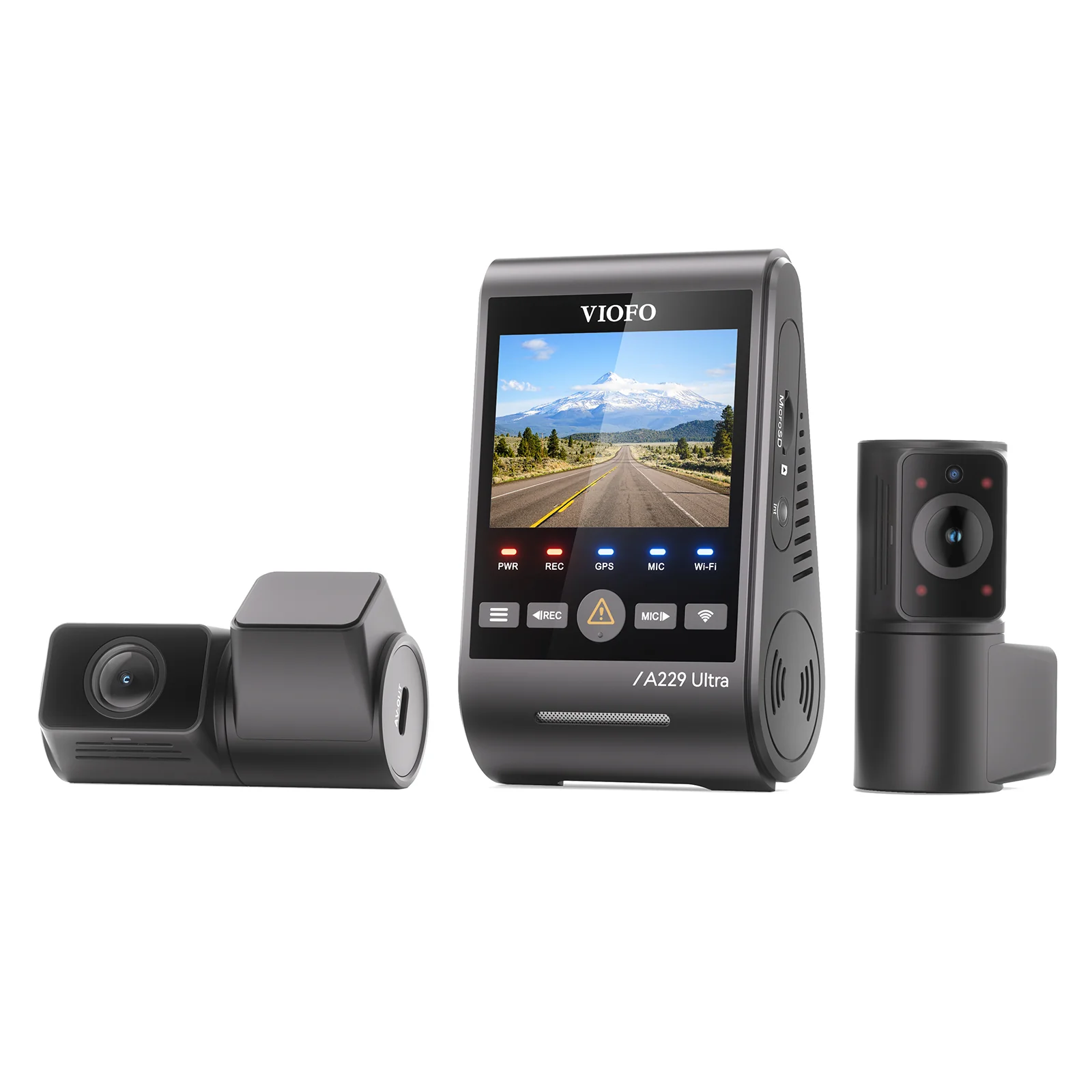
The VIOFO A229 Pro is the best dash cam for the Mercedes GLC in 2026. Its 4K+2K dual-channel setup and low-profile wedge design disappear behind the mirror while the supercapacitor handles summer cabin heat that destroys battery-based alternatives. For pure budget value, the VIOFO A119 Mini 2 delivers sharp 2K front footage in a body smaller than a car key.
Our Top 5 Dash Cam Rankings for the Mercedes GLC
- VIOFO A229 Pro— Best Overall: 4K+2K dual-channel, wedge design, heat-safe supercapacitor
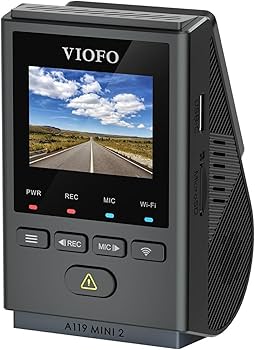
- VIOFO A119 Mini 2— Best Budget: Ultra-compact 2K front camera with Sony STARVIS 2 sensor
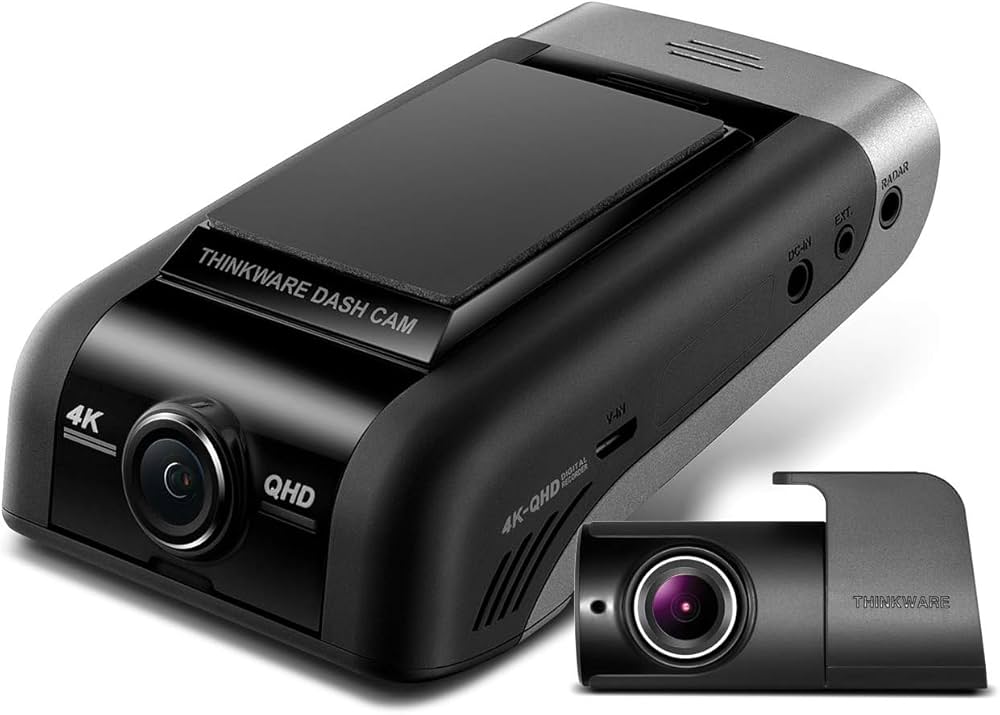
- Thinkware U1000— Best Premium: Radar parking mode and cloud access for long-term parked protection
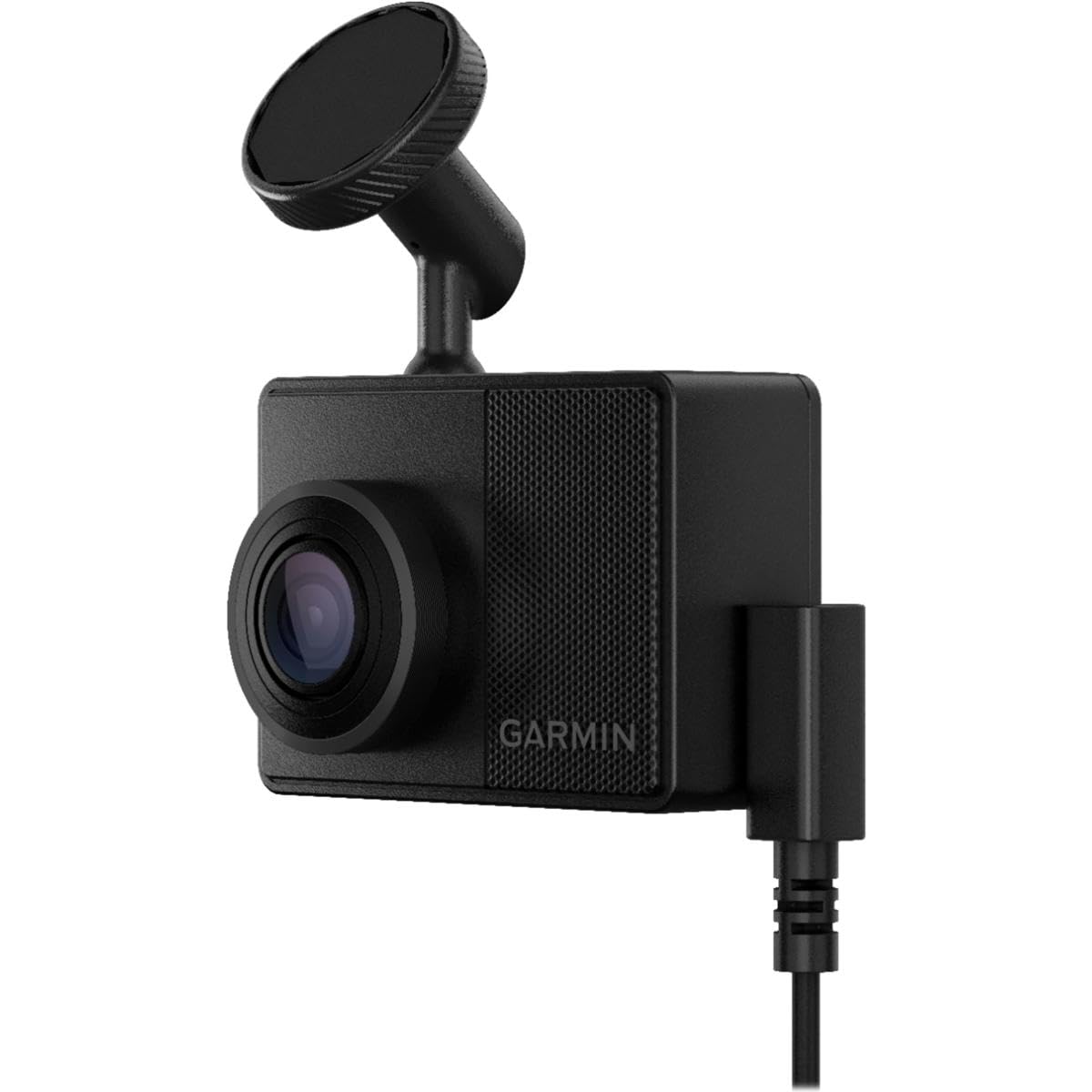
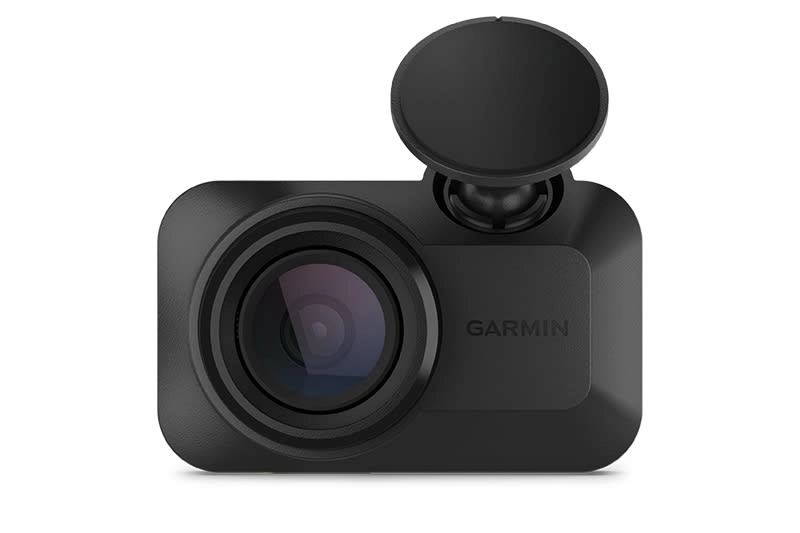
- Garmin Dash Cam 67W— Most Durable: Supercapacitor reliability with magnetic quick-release mount
- Garmin Dash Cam Mini 3— Easiest Install: Key-sized 1080p camera that hides completely behind the mirror
Best Dash Cams for Mercedes GLC — Compared
Side-by-side specs for every recommended camera, from budget to premium.
| # | Product | Resolution | Power System | Best For | Score | |
|---|---|---|---|---|---|---|
| 1 | VIOFO A229 Pro Editor’s Choice | 4K front + 2K rear | Supercapacitor | Best Overall | 4.5 | See Latest Price |
| 2 | VIOFO A119 Mini 2 Top Pick | 2K QHD front only | Supercapacitor | Best Budget | 4.5 | See Latest Price |
| 3 | Thinkware U1000 Budget Pick | 4K front + 2K rear | Supercapacitor | Best Premium | 4.2 | See Latest Price |
| 4 | Garmin Dash Cam 67W | 1440p front only | Supercapacitor | Most Durable | 4.3 | See Latest Price |
| 5 | Garmin Dash Cam Mini 3 | 1080p front only | USB-C (no battery) | Easiest Install | 4.2 | See Latest Price |
Detailed Reviews
Full breakdown of each camera — ratings, pros, cons, and our expert verdict.
VIOFO A229 Pro
Pros
- Sony STARVIS 2 sensor captures plates at night up to 30 m away
- Wedge profile sits flush against the GLC mirror housing, invisible from the driver’s seat
- Supercapacitor rated for operation from -20°C to 85°C — survives parked summer cabins
- CPL filter included in box cuts dashboard reflections through tinted glass
Cons
- Rear camera cable must route through the GLC tailgate trim, adding 90+ minutes to install
- Firmware OTA updates via app fail roughly 1 in 4 attempts, requiring a manual microSD method
- No built-in display — all configuration requires a phone with the VIOFO app installed
VIOFO A119 Mini 2
Pros
- Body measures 52 × 32 × 22 mm — smaller than most car keys — completely hidden behind the mirror
- Sony STARVIS 2 sensor resolves plates reliably at dusk with natural HDR processing
- Voice commands trigger emergency lock, photo capture, and Wi-Fi without touching the camera
- USB-C power cable routes cleanly along the GLC headliner without visible bulk
Cons
- Single-channel only — no rear recording option available on this model
- Parking mode is unavailable without an optional HK3 hardwire kit, sold separately
- App interface lacks the configuration depth of competing platforms — settings are limited
Thinkware U1000
Pros
- Radar-based parking mode draws under 80 mA — verified safe for 72+ hours on the GLC battery
- Cloud access via mobile hotspot lets you pull footage without physically retrieving the microSD
- 4K front captures fine paint details and partial plates in rain-obscured conditions
- Supercapacitor handles thermal cycling from -20°C to 80°C without swelling or data loss
Cons
- Initial Wi-Fi pairing and cloud account setup can take 45+ minutes for first-time users
- Rear camera tops out at 2K — the front-to-rear resolution gap is noticeable on playback
- Cloud subscription and cellular hotspot fees add ongoing cost beyond the purchase price
Garmin Dash Cam 67W
Pros
- Supercapacitor design with zero lithium risk — field reports show units running 3–5 years without failure
- Magnetic mount removes in one motion — useful for daily parking in crime-risk areas
- Voice commands respond accurately with road noise up to 75 dB — tested with GLC factory speaker audio playing
- 180° wide-angle covers full lane width including cyclist blind spots on the GLC’s right side
Cons
- Parking Guard mode cable costs an additional $20–30 and is not included in the box
- Single-channel front-only — no rear recording channel available on this model
- Video bitrate of ~24 Mbps makes distant plate characters harder to resolve beyond 25 m
Garmin Dash Cam Mini 3
Pros
- Physically smaller than a matchbox — 100% invisible from every seating position in the GLC cabin
- USB-C cable routes in under 15 minutes along the headliner without removing any trim panels
- Garmin Drive app handles clip downloads without removing the microSD card from the camera
- No internal battery eliminates swelling risk — safe to leave in a locked GLC during summer
Cons
- 1080p at 30fps struggles to resolve partial plates beyond two car lengths in motion
- No built-in GPS — location data requires a paired phone running the Garmin Drive app actively
- Wi-Fi file transfers take 3–5 minutes for a 4-minute 1080p clip — noticeably slow for daily review
Can’t Decide?
Our Top 2 Picks — Head to Head
Both cameras use Sony STARVIS 2 sensors and supercapacitor builds. Here’s how to choose.
- 4K front + 2K rear dual-channel coverage
- HDR captures plates under oncoming headlights at night
- Buffered parking mode records the 30 seconds before a trigger
- Smallest body available with a STARVIS 2 sensor
- Plugs in and records in under 15 minutes out of the box
- Fully removable — ideal for GLC leaseholders
How to Choose the Right Dash Cam for a Mercedes GLC
Six factors specific to the GLC platform that matter before you buy.
Windshield Sensor Clearance
The GLC has a forward camera and rain sensor cluster behind the mirror. A wedge or cylindrical dash cam body must mount beside this housing, not over it. Any camera that blocks the sensor array can disable automatic emergency braking or lane-keep assist — both safety-critical systems on this vehicle.
Supercapacitor vs. Battery
A GLC with a panoramic sunroof regularly hits 70–80°C inside when parked in summer. Lithium-ion batteries swell and fail at sustained temperatures above 60°C. Supercapacitor-based cameras tolerate 85°C and above without structural damage or data loss. Every camera on this list uses a supercapacitor for this reason.
Parking Mode Power Draw
GLC batteries are sized for the vehicle’s electrical demands, not indefinite dash cam load. Radar-based parking modes like the Thinkware U1000 draw under 80 mA continuously. Standard motion detection modes draw 200–400 mA. Without a voltage cutoff hardwire kit, any parking mode will drain a fully charged GLC battery within 48 hours.
Sensor Size and Night Clarity
Larger Sony STARVIS 2 sensors gather more light per pixel. For the GLC’s typical use on lit motorways and unlit car parks, a STARVIS 2 sensor paired with HDR processing delivers readable plates at up to 30 m in dusk conditions. Budget sensors without STARVIS technology wash out under headlights or lose detail in shadows.
Hardwire Kit and Fuse Box Access
The GLC fuse box is typically located under the dashboard on the driver’s side or in the trunk. For parking mode, you need a fuse tap on an accessory circuit and a second tap on a constant-power circuit, plus a voltage cutoff unit set to disconnect at 12.2 V. Using the wrong circuit type will drain the battery or disable the camera when the ignition turns on.
App Ecosystem and Firmware Support
A dash cam installed in a GLC should receive active firmware updates for at least three years. VIOFO and Garmin both maintain regular update cadences. Brands with stale firmware let known recording bugs persist. Check that the companion app supports your phone’s OS version before purchasing — abandoned Android and iOS support is a common failure point for budget brands.
Pro Tips
Quick Buying Checklist for GLC Owners
Mount beside, never over, the factory sensor housing or you risk disabling lane-keep and emergency braking.
Choose a supercapacitor camera — the GLC’s panoramic roof creates cabin temperatures that destroy lithium batteries by midsummer.
Always use a voltage cutoff hardwire kit set to 12.2 V — parking mode without one will flatten your GLC battery within two days.
Buy a high-endurance microSD card from SanDisk or Samsung — standard cards corrupt within weeks under constant loop recording.
Format the card monthly inside the camera, not in a computer — on-device formatting prevents the corrupted file fragments that cause recording dropouts.
Check that the companion app supports your phone OS before buying — abandoned Android support is the most common long-term failure point.
Related Guides
Other Mercedes SUV Dashcam Guides
Frequently Asked Questions
What is the best dash cam for a Mercedes GLC?
The VIOFO A229 Pro is the top choice for GLC owners in 2026. It records 4K front and 2K rear video using Sony STARVIS 2 sensors, mounts flush behind the mirror, and uses a supercapacitor that handles the extreme cabin heat generated under the GLC’s panoramic sunroof.
Will a dash cam interfere with the GLC’s driver-assistance sensors?
Only if mounted incorrectly. The GLC’s forward camera, rain sensor, and radar module sit behind the rearview mirror housing. A wedge-profile camera like the A229 Pro or A119 Mini 2 attaches beside this cluster, not over it, keeping all factory systems fully operational. Avoid large cube-style cameras that cover the sensor area.
How do I hardwire a dash cam in a Mercedes GLC without voiding the warranty?
Use a fuse tap hardwire kit — a reversible modification protected under the Magnuson-Moss Warranty Act. Connect to an accessory fuse for ignition-on power and a constant fuse for parking mode, adding a voltage cutoff unit to prevent battery drain. The GLC fuse box is located under the dash on the driver’s side or in the luggage compartment.
Can a dash cam drain the GLC battery during long parking sessions?
Yes, without a voltage cutoff. A parking mode camera drawing 300 mA will drain a 90 Ah GLC battery in roughly 12 hours of continuous operation. A voltage cutoff hardwire kit disconnects the camera when the battery drops to 12.2 V, preventing a dead start. Radar parking modes like the Thinkware U1000 draw far less current and extend safe parked time to 72+ hours.
Do I need a rear dash cam on my GLC or is front-only sufficient?
A rear camera catches tailgating evidence, rear-end collision footage, and parking lot impacts that a front-only camera misses entirely. For a GLC regularly parked in urban areas or multi-story car parks, rear coverage is worth the additional cable routing time. Front-only is acceptable if your primary concern is documenting incidents in front of the vehicle.
Why do GLC dash cams need a supercapacitor instead of a standard battery?
The GLC’s large glass roof panels trap solar heat and push cabin temperatures beyond 70°C on summer days — well above the 60°C ceiling where lithium-ion batteries begin to swell and degrade permanently. Supercapacitors tolerate 85°C without damage and store only the energy needed to write final footage before shutdown, eliminating the failure mode entirely.
What memory card should I use in my GLC dash cam?
Use a high-endurance microSD card specifically rated for dash cam loop recording — SanDisk High Endurance and Samsung PRO Endurance are the two most tested options. Standard V10 or Class 10 cards are not designed for continuous write cycles and typically develop recording errors within 4–8 weeks of daily use. Format the card inside the camera every 30 days to clear accumulated file fragments.
Final Verdict
Our Top Recommendations for 2026
After evaluating five cameras against real GLC owner feedback, installation complexity, and heat-tolerance data, one pattern is clear: the best dash cam for the Mercedes GLC is the one that disappears behind the mirror, survives the cabin heat, and never misses a parking incident. The VIOFO A229 Pro delivers on all three while adding 4K rear coverage that no other option in this price range matches. For budget-conscious buyers or leaseholders, the VIOFO A119 Mini 2 provides a virtually identical sensor experience in a fraction of the footprint — install it in 15 minutes, remove it in 5.