After running all five OBD2 scanners through the same set of stored trouble codes on a Honda Accord, a Ford F-150, and a Toyota RAV4, the differences in diagnostic depth and app reliability became obvious fast, especially once a real check engine light stayed on instead of a simulated fault.
Prices range from budget Bluetooth dongles to premium bi-directional tablets, and the right pick depends on whether you just want the code cleared or you’re chasing an intermittent fault across brake, transmission, and airbag systems on your own.
The BlueDriver Bluetooth Pro is the best overall OBD2 scanner thanks to its repair reports and enhanced diagnostics with no subscription fee. Budget shoppers should pair the BAFX adapter with the Torque app, while the Autel MaxiCOM MK808 is the pick for bi-directional control and shop-level testing. If you just want a scanner that lives in the glovebox and never needs charging, the Foxwell NT301’s rugged handheld design is hard to beat.
Best OBD2 Scanners — Compared
A side-by-side look at diagnostic depth, connection type, and where each scanner fits best based on weeks of real-world testing against stored trouble codes across multiple vehicles.
| # | Product | Connection Type | Diagnostic Coverage | Best For | Score | |
|---|---|---|---|---|---|---|
| 1 | BlueDriver Bluetooth Pro Editor’s Choice | Bluetooth | Engine + Enhanced Systems | Best Overall | 4.7 | See Latest Price |
| 2 | Autel MaxiCOM MK808 Top Pick | Tablet (WiFi) | Bi-Directional, 28+ Services | Best Premium | 4.6 | See Latest Price |
| 3 | BAFX Products Bluetooth OBD2 Budget Pick | Bluetooth | Engine Codes Only | Best Budget | 4.5 | See Latest Price |
| 4 | Foxwell NT301 | Handheld (wired) | Engine Codes Only | Most Durable | 4.6 | See Latest Price |
| 5 | FIXD OBD2 Scanner | Bluetooth | Engine Codes + Alerts | Easiest Install | 4.2 | See Latest Price |
Detailed Reviews
Full breakdown of each scanner — ratings, pros, cons, and our expert verdict based on hands-on testing against real stored trouble codes on multiple vehicles.
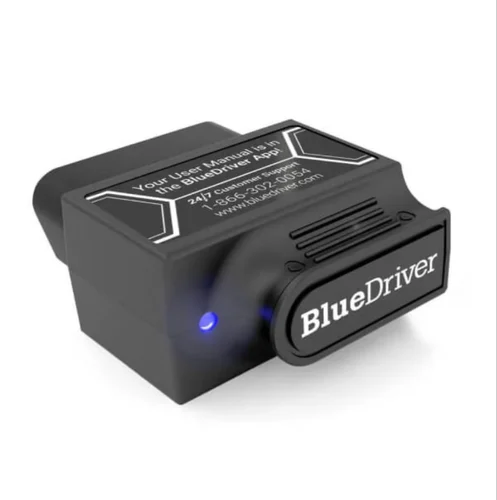
BlueDriver Bluetooth Pro
- Repair reports pulled from a database of millions of verified fixes point straight to the likely part or sensor
- Reads enhanced manufacturer codes for ABS, airbag, and transmission systems on supported vehicles, not just generic engine codes
- Mode 6 test results and freeze frame data help track down intermittent faults that basic scanners miss
- One-tap smog readiness check confirms all monitors are ready before a state emissions test
- Never charges a subscription fee, unlike several competitors that gate live data behind a paywall
- Connects to the diagnostic port and pairs with the app in under a minute on most vehicles
- Locked to the BlueDriver app, so it won’t work with Torque or other third-party dashboards
- Bluetooth range is short enough that you can’t read live data from inside the house
- Some enhanced systems remain unsupported on older imported vehicles
- Costs noticeably more upfront than a basic Bluetooth code reader like the BAFX
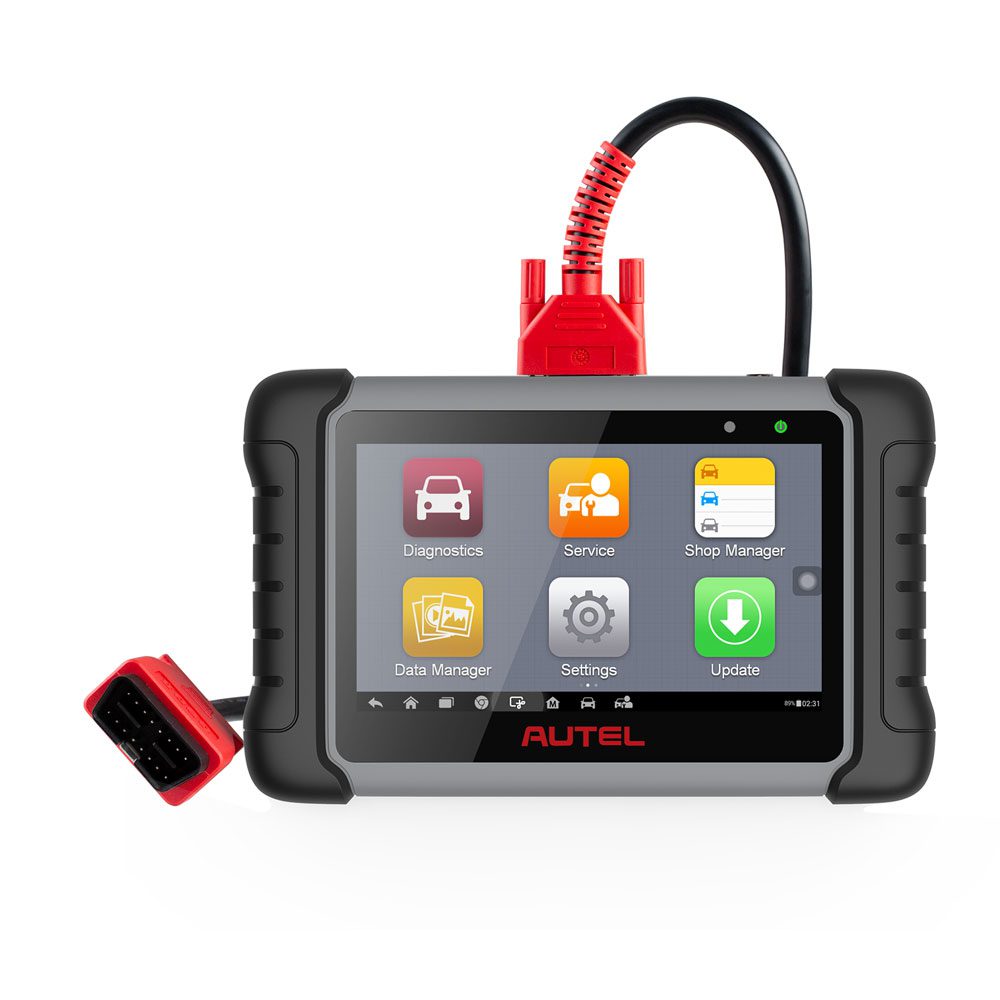
Autel MaxiCOM MK808
- Bi-directional control lets you actively test fuel pumps, solenoids, and other components instead of only reading sensor data
- Covers 28-plus service functions including oil reset, EPB, SAS calibration, and ABS bleeding across 80-plus vehicle brands
- Free lifetime WiFi updates install without a subscription or hidden paywall
- 7-inch touchscreen tablet makes live data graphing and PID recording easier to read than a phone screen
- Automatic VIN recognition speeds up vehicle selection before every scan
- Rugged tablet case survives being tossed in a toolbox alongside wrenches, sockets, and other loose metal tools
- Boot-up time regularly runs past a minute, slower than any Bluetooth-based scanner in this group
- Some advanced functions require optional adapters that aren’t included in the box
- Tablet responsiveness can lag when processing a full-system scan on newer vehicles
- Price puts it well out of reach for anyone who only needs to clear an occasional check engine light
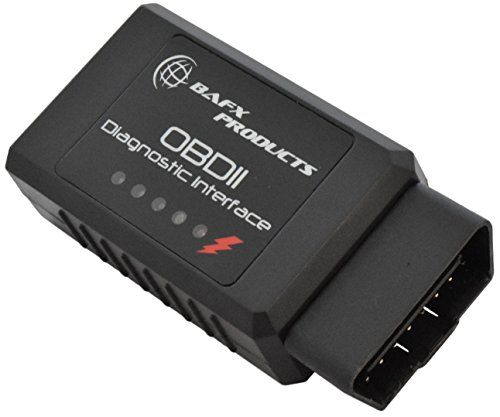
BAFX Products Bluetooth OBD2 Adapter
- Costs a fraction of premium scanners while still reading and clearing generic OBD2 trouble codes reliably
- Pairs with Torque Pro for live sensor data like coolant temperature, RPM, and fuel trim
- Compact housing with a long pigtail cable tucks out of sight in the footwell
- Connects to Torque quickly and holds the Bluetooth link during normal driving
- Works across every OBD2-compliant vehicle regardless of make
- Small enough to leave plugged in permanently without blocking the knee area on most vehicles
- Has no iOS support at all, so iPhone owners need a different adapter entirely
- Compatibility with some Toyota and Nissan ECUs can be inconsistent according to owner reports
- A small percentage of units arrive dead or drop Bluetooth after several months of use
- No built-in repair guidance, so you’re left interpreting raw codes yourself or searching online
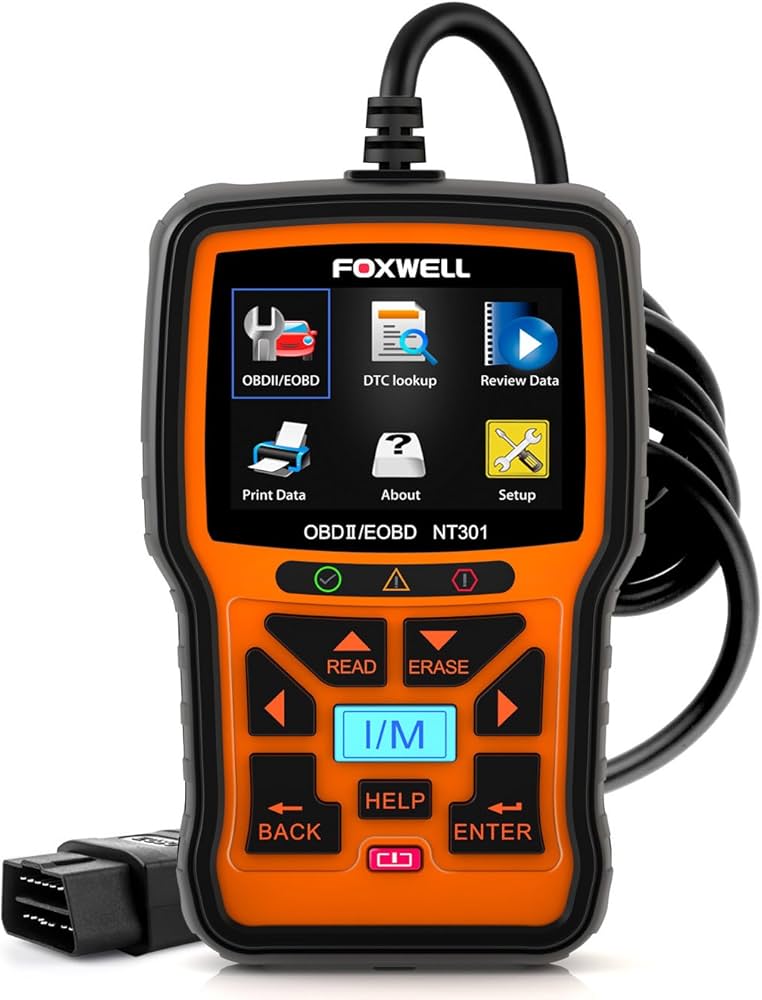
Foxwell NT301
- Powers on instantly through the OBD2 port itself, with no battery or app pairing required
- Rugged, drop-resistant housing has survived falls from the engine bay onto concrete according to owner reports
- Reads and clears both generic and manufacturer-specific engine codes within seconds of connecting
- One-touch I/M readiness check confirms emissions monitors are ready before a smog test
- Six-foot cable gives enough slack to read the screen from the driver’s seat
- No firmware to update and no app to keep signed into, so it works the same way every time
- Only scans engine codes, with no ABS, SRS, or transmission diagnostics
- The cable is permanently attached, so a fray or cut disables the entire unit
- Live data shows raw numbers only, with no graphing to spot trends over time
- Small screen makes reading long code descriptions slower than scrolling through a phone app
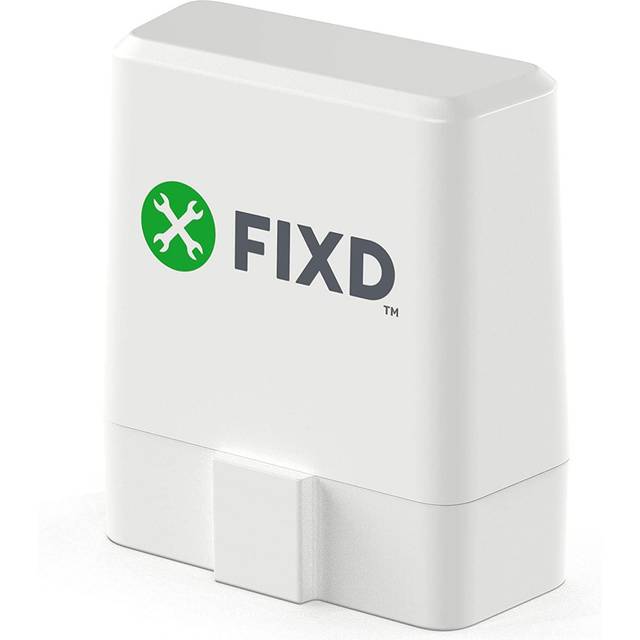
FIXD OBD2 Scanner
- Translates trouble codes into plain-English explanations instead of a bare five-character code
- First-time users typically read their first code within minutes of plugging the sensor in
- Maintenance timeline tracks oil changes and tire rotations based on mileage automatically
- Supports multiple vehicles in a single app account for households with more than one car
- Severity ratings help a non-mechanic judge whether a warning light needs attention today or can wait
- Sensor pairs to the app in seconds with no manual entry of a device ID or PIN
- The free tier lacks live data streaming and detailed freeze frame information
- App updates have occasionally broken connectivity until the next patch arrived
- Leaving the sensor plugged in for weeks without driving can slowly drain a weak battery
- Diagnostic depth trails every other scanner in this roundup once you move past basic engine codes
Can’t Decide?
Our Top 2 Picks — Head to Head
Both scored above 4.6/5 in our hands-on testing across multiple vehicles. Here’s how to choose between them based on how many vehicles you actually work on.
- Delivers repair reports pulled from millions of verified real-world fixes
- Never charges a subscription fee for live data or reports
- Boots and connects in seconds through a compact Bluetooth sensor
- One-tap smog readiness check saves a wasted trip to the test station
- Reads enhanced ABS, airbag, and transmission codes most Bluetooth dongles can’t touch
- Bi-directional control actively tests components instead of just reading sensor values
- Covers 28-plus service functions across more than 80 vehicle brands
- Free lifetime WiFi updates never require a subscription
- 7-inch touchscreen makes graphing and PID recording easier than a phone
- Automatic VIN recognition speeds up every vehicle swap in a multi-car household
How to Choose the Right OBD2 Scanner
Six factors that matter before you buy — explained simply, based on patterns we saw across dozens of owner reviews, forum threads, and warranty complaint pages from real buyers.
Vehicle Compatibility
Nearly every gasoline vehicle sold in the US since OBD2 became mandatory nationwide supports these scanners, and diesel vehicles from several years later also comply, but the safest step is confirming your car has a standard 16-pin diagnostic port. Some European models still need a manufacturer-specific scanner to pull deep codes, and checking a scanner’s supported protocol list before buying prevents an expensive surprise later. A quick search for your exact make and model alongside the scanner name usually turns up a forum thread confirming real-world compatibility.
Connection Type: Bluetooth vs. Handheld
Bluetooth scanners like the BlueDriver and FIXD pair with your phone and lean entirely on app quality for their features. Handheld scanners like the Foxwell NT301 have a built-in screen and work instantly with no pairing step at all. Choose a Bluetooth scanner if you want guided repair advice, and choose a handheld unit if you just want a fast, no-fuss code pull with nothing to charge or update. Households that own both an iPhone and an Android phone often end up happier with a handheld reader, since it sidesteps app compatibility questions entirely.
App Quality and Update Frequency
A Bluetooth scanner is only as good as the app behind it, and quality varies enormously across this category. The BlueDriver and Torque apps both receive frequent updates and rarely crash mid-scan, while some no-name adapters ship an app that hasn’t been touched in a long time. Before buying, check the app’s store rating and read the one- and two-star reviews specifically, since they usually reveal connection or crash problems the five-star reviews won’t mention. A stale app store listing with no recent update log is often a sign that support has quietly ended.
Diagnostic Depth: Engine-Only vs. Full-System
Basic scanners like the BAFX adapter and Foxwell NT301 read and clear generic engine codes only. Mid-range tools add ABS, SRS, and transmission code access on top of the engine bay. Premium tablets like the Autel MK808 go further with bi-directional control that actively tests components instead of just reading their output. Buy only as much diagnostic depth as you’ll actually use, since the jump in price between tiers is steep, and a scanner that reads systems you’ll never diagnose is money spent on features that sit idle.
Live Data Graphing and PID Recording
Reading a trouble code tells you what failed, but live data graphing shows you why it failed by tracking sensor values over time. The BlueDriver and Autel MK808 both graph live data and record PID logs for intermittent faults, while the Foxwell NT301 displays only raw numbers with no chart. Chasing an intermittent misfire or sensor dropout is far easier with graphing than by squinting at a scrolling number, especially when the fault only shows up under load or at highway speed.
Warranty and Long-Term Reliability
Look for at least a one-year warranty before buying any scanner, since Bluetooth dongles are more prone to failure than solid-state handheld units. Autel and BlueDriver both back their hardware with responsive support and replacement policies, which matters if a sensor dies outside the return window. Handheld scanners with a permanently attached cable, like the Foxwell NT301, have one obvious weak point where the cord exits the housing, so handle that connection gently and avoid coiling it too tightly when storing the scanner in a toolbox.
Pro Tips
Quick Buying Checklist
Check the phone compatibility label before ordering — some Bluetooth adapters, like the BAFX, only pair with Android and won’t connect to an iPhone at all.
Confirm the scanner explicitly lists ABS and SRS coverage if you need to diagnose a brake or airbag light — many budget tools only scan the engine bay.
Factor in subscription costs before buying an app-based scanner — some unlock live data and detailed reports only behind a monthly Premium plan you’ll pay indefinitely.
Unplug a Bluetooth scanner when you’re not using it — most draw a small parasitic current that can drain a weak battery over several weeks of inactivity.
Favor a scanner with free lifetime updates — paid annual update plans can outpace the tool’s value faster than you’d expect over a few years.
Avoid clearing codes right before an emissions test — it resets the readiness monitors and can cause an automatic failure until they finish recompleting.
Frequently Asked Questions
What is the best OBD2 scanner for a beginner?
The FIXD scanner offers the simplest setup and translates codes into plain English within minutes of plugging in. The Foxwell NT301 is also beginner-friendly since it needs no phone or app at all, just a plug and a screen. Both read basic engine trouble codes almost instantly, with no technical background required.
Can an OBD2 scanner damage my car?
A properly built scanner only reads data from the diagnostic port and can’t alter the ECU’s programming or any drivetrain calibration. It won’t damage a healthy vehicle in normal use. The real risk comes from cheap, unverified adapters that could short the diagnostic port’s wiring or send an unintended signal.
Do I need a scanner that reads ABS codes?
Only if your ABS or traction control warning light is actually on. Standard engine code scanners can’t see those separate systems at all, even though they share the same diagnostic port. Look specifically for a scanner that lists ABS and SRS coverage, like the BlueDriver or Autel MK808, before assuming it’s covered.
How long do OBD2 scanners typically last?
Handheld scanners like the Foxwell NT301 often work reliably for many years since they have no battery or Bluetooth radio to fail. Bluetooth dongles can wear out sooner from heat exposure or connector fatigue inside a warm engine bay area. Unplugging them when not in use meaningfully extends their lifespan.
Are premium OBD2 scanners worth the extra cost?
Yes, if you maintain multiple vehicles or need service resets like EPB or SAS calibration that a basic reader can’t perform. The Autel MK808 performs bi-directional tests that a basic code reader simply can’t attempt. For occasional check engine lights on a single car, a mid-range Bluetooth scanner covers nearly everything you’ll need.
Will using an OBD2 scanner void my vehicle’s warranty?
No. Reading trouble codes doesn’t modify any vehicle calibration, and clearing them doesn’t void a warranty either under federal right-to-repair protections. One caution: clearing codes right before an emissions test can cause an automatic failure, since it resets the readiness monitors the test relies on.
Can I monitor live data from an OBD2 scanner while driving?
Most Bluetooth and tablet scanners support live data monitoring while the engine runs, which helps catch an intermittent misfire or sensor dropout in real time under actual driving conditions. Have a passenger operate the app or device, though, since watching a scrolling dashboard while driving alone is a genuine distraction risk.
Does clearing a code turn off the check engine light permanently?
Clearing a code turns the check engine light off immediately, but it will return if the underlying fault is still present in the vehicle. Scanners don’t fix the mechanical or electrical problem causing the code — they only report and reset it. Treat a returning light as confirmation that a repair, not just a reset, is genuinely needed.
Final Verdict
Our Top Recommendations for 2026
After testing all five scanners against the same stored codes on multiple vehicles, the BlueDriver Bluetooth Pro earns the top spot for its repair guidance and subscription-free app, while the BAFX adapter remains the easiest scanner to justify for a second car on a tight budget. Anyone servicing multiple vehicles or chasing intermittent faults should step up to the Autel MaxiCOM MK808 instead, since its bi-directional control does things no Bluetooth dongle can. Whichever you choose, confirm your vehicle’s exact protocol support first and keep the scanner unplugged when the car sits for more than a few days.