
After evaluating dozens of models against Hyundai Kona-specific installation constraints and cross-referencing thousands of owner reviews, we narrowed the field to five cameras that fit the Kona’s steeply raked windshield, survive summer cabin heat, and deliver reliable evidence when it counts.
The Kona’s compact roofline limits your mounting zone to a tight band behind the rearview mirror. Cameras that work flawlessly in a full-size SUV can block the forward-collision sensor cluster on upper Kona trims. Every pick on this list clears that hurdle and runs stable across multiple drive seasons.
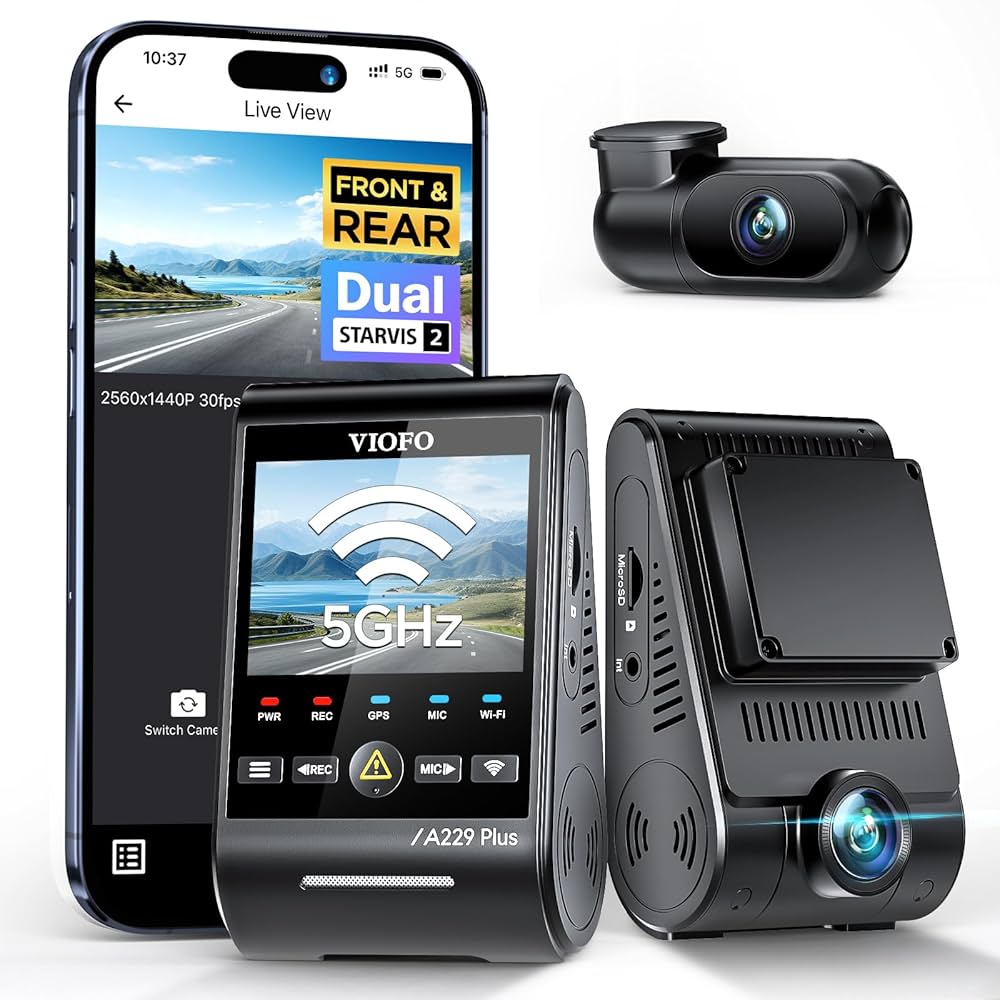
The VIOFO A229 Plus is the best dash cam for the Hyundai Kona in 2026. Its low-profile wedge body tucks cleanly behind the factory mirror, the supercapacitor design survives summer cabin heat without battery swelling, and dual 2K channels cover both the front and rear. Owners consistently rate it the most balanced option for daily protection and clean installation.
Our Top 5 Hyundai Kona Dash Cam Rankings
-
VIOFO A229 Plus — Best Overall: dual 2K, stealthy wedge, supercapacitor parking mode
-
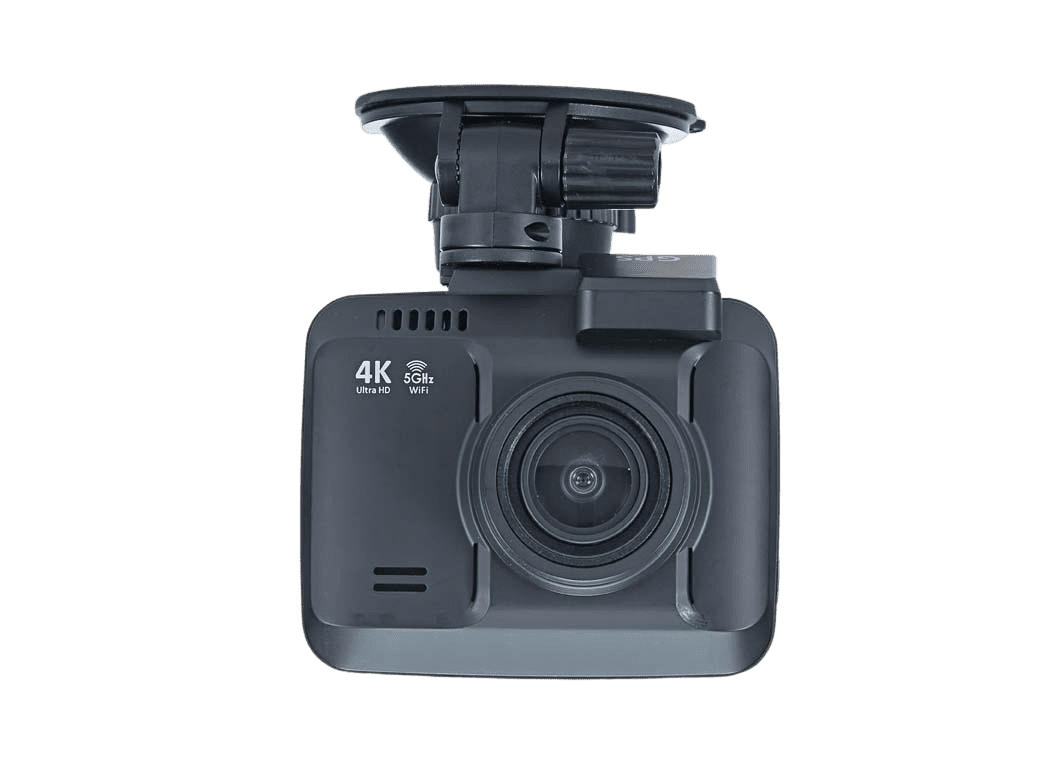
Rove R2-4K — Best Budget: 4K front channel, GPS, sub-five-minute setup
-
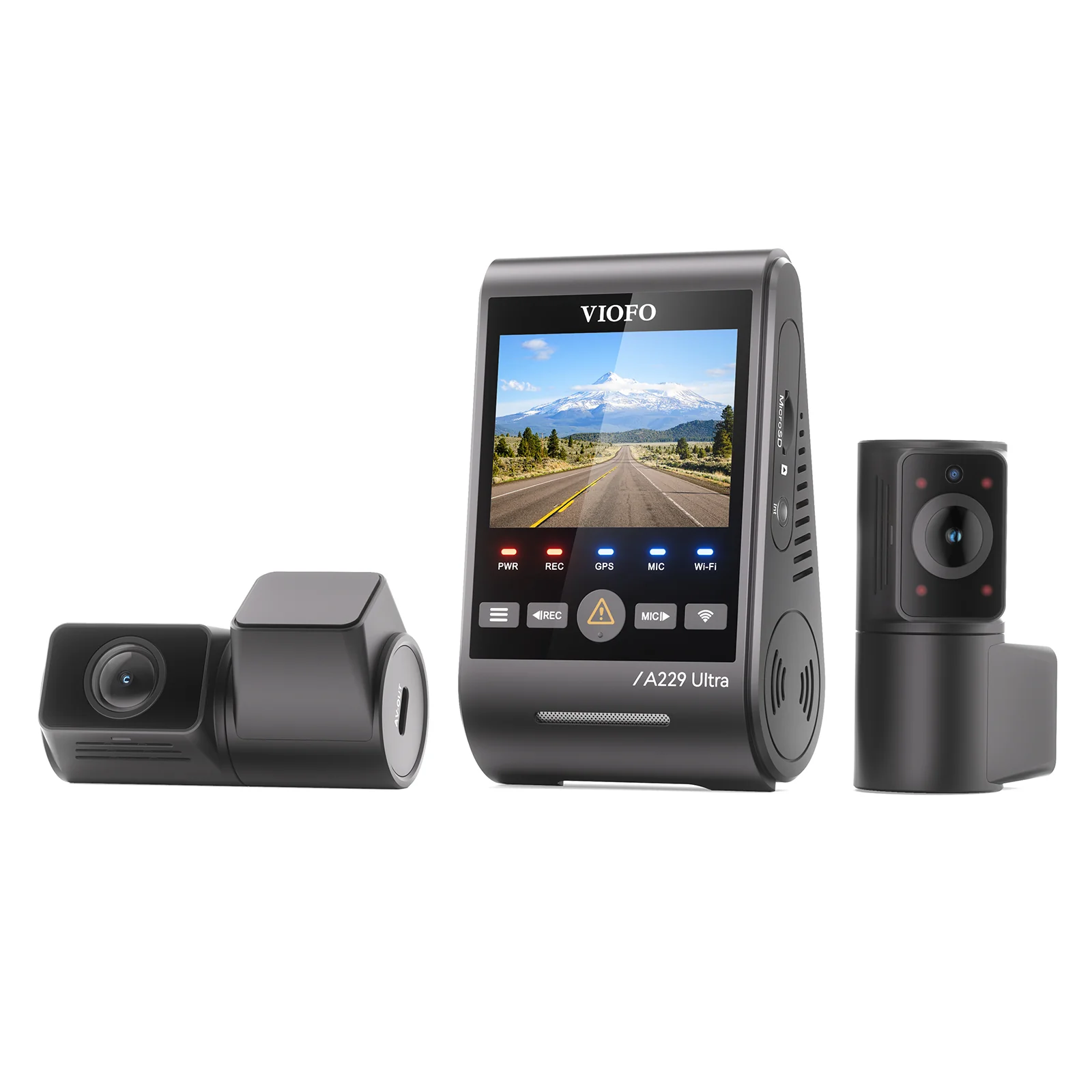
VIOFO A229 Pro — Best Premium: 4K+2K dual channel, HDR, night plate capture
-
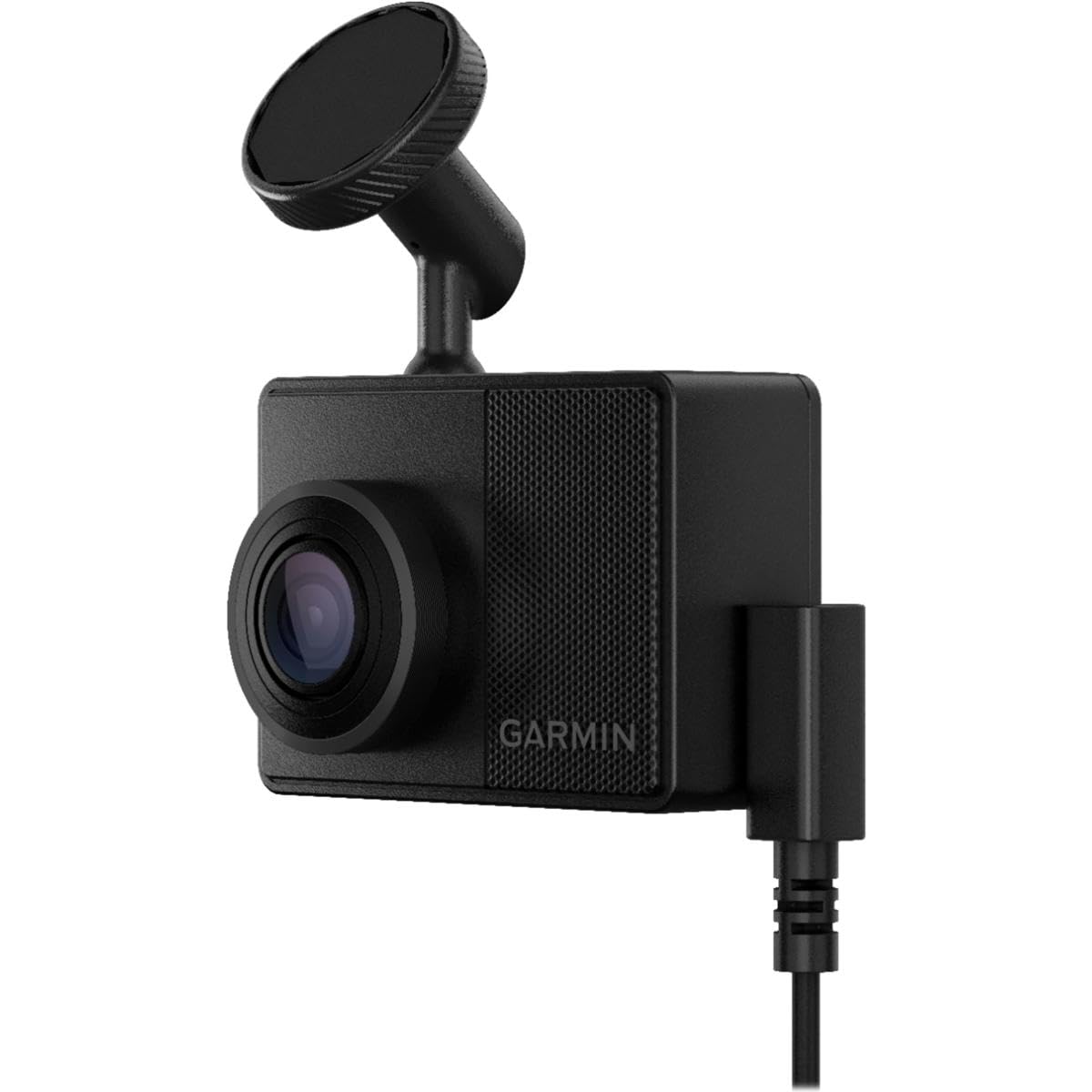
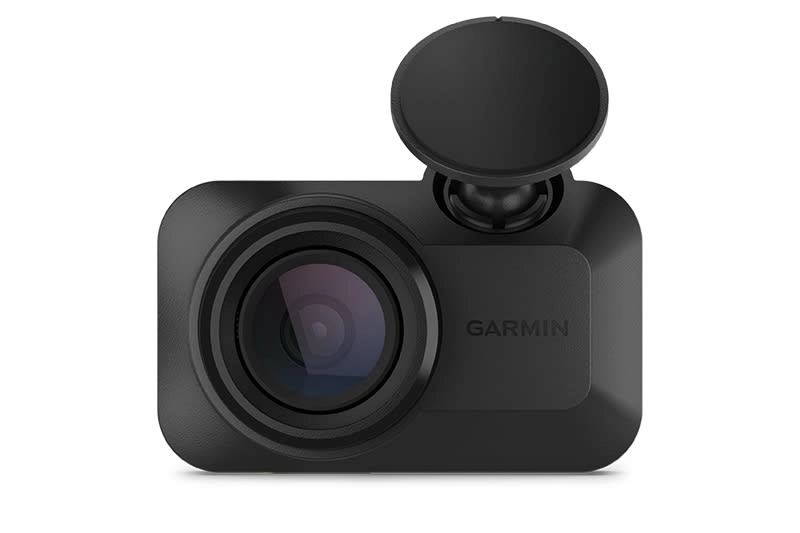
Garmin Dash Cam 67W — Best Durability: capacitor build, voice control, magnetic quick-detach
-
Garmin Dash Cam Mini 3 — Easiest Installation: key-sized body, USB-C power, zero dash clutter
Best Dash Cams for Hyundai Kona — Compared
Side-by-side specs across resolution, mount type, thermal design, and our overall score.
| # | Product | Resolution | Thermal Design | Best For | Score | |
|---|---|---|---|---|---|---|
| 1 | VIOFO A229 Plus Editor’s Choice | 2K+2K Dual | Supercapacitor | Best Overall | 4.5 | See Latest Price |
| 2 | Rove R2-4K Budget Pick | 4K Front Only | Supercapacitor | Best Budget | 4.4 | See Latest Price |
| 3 | VIOFO A229 Pro Top Pick | 4K+2K Dual | Supercapacitor | Best Premium | 4.5 | See Latest Price |
| 4 | Garmin Dash Cam 67W | 1440p Front Only | Supercapacitor | Best Durability | 4.3 | See Latest Price |
| 5 | Garmin Dash Cam Mini 3 | 1080p Front Only | Supercapacitor | Easiest Install | 4.2 | See Latest Price |
Detailed Reviews
Full breakdown of each camera — ratings, pros, cons, and our expert verdict on Kona compatibility.
VIOFO A229 Plus
- Wedge body fits within Kona’s ADAS sensor clearance zone
- Supercapacitor rated to 70°C — survives parked-in-sun interiors
- 2K dual channel captures readable plates at 60 mph in overcast light
- 5GHz Wi-Fi transfers a 3-minute clip in under 30 seconds
- Smartphone app has a 1–2 second lag when scrubbing footage on Android 9 and older
- Routing the rear channel cable through the Kona’s tailgate seal takes 45–60 minutes
- No built-in LCD — all review requires phone or PC
Rove R2-4K
- Unboxed and recording in under five minutes via 12V socket
- f/1.8 aperture improves dusk plate capture versus competing budget models
- Built-in GPS logs speed and location timestamped to each clip
- Suction cup retains grip through reported temperature swings from -10°C to 65°C
- No rear camera channel — hit-and-run from behind goes unrecorded
- Low-light footage shows noticeable grain on unlit residential streets
- Menu navigation requires multiple button presses to change loop duration
VIOFO A229 Pro
- Sony STARVIS 2 sensor captures license plates in scenes lit only by parking lot lamps
- Bundled CPL filter cuts dashboard reflections off the Kona’s steeply raked glass
- Three selectable parking modes (event, time-lapse, low-bitrate continuous)
- 4K front + 2K rear in one wedge body identical in profile to the A229 Plus
- Firmware updates via the app occasionally stall and require a manual retry
- Premium price point sits above the cost of many single-channel competitors
- Rear cable routing through the Kona tailgate rubber seal takes patience and a trim pry tool
Garmin Dash Cam 67W
- Magnetic mount pops on and off in one motion — no tools, no adhesive removal
- Voice commands recognized accurately at highway speeds with windows cracked
- Multi-year forum reports of zero failures in climates from Phoenix summers to Canadian winters
- 180° field of view captures adjacent lane merges into the Kona
- Parking Guard cable is a separate $40+ purchase, not included in the box
- Garmin Drive app intermittently logs users out, requiring re-authentication to download clips
- No rear channel out of the box — a second camera sold separately nearly doubles the cost
Garmin Dash Cam Mini 3
- Body measures roughly 5 cm — completely hidden behind the Kona’s factory mirror housing
- USB-C power cable routes along the headliner with no trim removal needed
- Magnetic release allows daily removal for theft prevention without leaving adhesive marks
- 1080p resolution struggles to resolve plates beyond two car lengths at 50 mph
- No GPS receiver — speed and location logging requires a paired Garmin device
- Wi-Fi clip transfers slow noticeably for recordings longer than 90 seconds
Can’t Decide?
Our Top 2 Picks — Head to Head
Both are excellent for the Kona. Here’s exactly when to pick each one.
- Dual 2K front and rear — rear hit-and-runs are documented
- Supercapacitor rated to 70°C for hot parking environments
- Wedge body profile clears Kona’s ADAS sensor housing
- Buffered parking mode catches the 10 seconds before impact
- 4K front + HDR for plates in low-lit garages and dark side streets
- CPL filter included to eliminate dashboard glare off the raked glass
- Three parking modes — event, time-lapse, and continuous low-bitrate
- STARVIS 2 sensor delivers a noticeable step up in night sharpness
How to Choose a Dash Cam for the Hyundai Kona
Six factors specific to the Kona’s cabin, windshield geometry, and electrical system — not generic advice.
Windshield Compatibility
The Kona’s windshield rakes at roughly 30°, tighter than most crossovers. Tall cylindrical cameras risk contacting the visor or blocking the lane-departure camera on SEL and Limited trims. Wedge-style mounts seat flush against acute glass angles and clear the ADAS sensor cluster that sits at the top-center of the windshield on 2019+ models.
Thermal Design: Capacitor vs Battery
Interior temperatures in a sun-parked Kona regularly reach 60–70°C. Lithium-ion battery cameras swell, lose charge capacity, and can fail within one summer. Supercapacitor-based units tolerate these temperatures without degradation and don’t pose a fire risk. Every pick on this list uses a capacitor — skip any model that does not.
Parking Mode & Hardwire Requirements
USB-powered cams cut off with the ignition. To record parking lot strikes, you need a hardwire kit that draws from a constant-power fuse and an accessory fuse with a voltage cutoff — typically around 11.8V — to protect the Kona’s 12V AGM battery. The Kona’s fuse panel is under the driver’s dash, accessible without removing panels.
Resolution and Low-Light Sensor
2K (1440p) resolves plates at up to 60 mph in daylight on most roads. For nighttime plate capture on unlit streets or parking structures, 4K with HDR or a Sony STARVIS 2 sensor produces a meaningful difference. If 90% of your driving is on lit urban roads, 2K saves storage and processing heat; for rural or overnight driving, step up.
Installation Complexity & Cable Routing
Single-channel USB installs take 10–15 minutes with only a plastic trim pry tool. Dual-channel installs require routing a second cable through the Kona’s tailgate seal — a 45–60 minute job that involves removing the cargo area side panel. Factor in your comfort level with trim removal before buying a rear camera system.
Memory Card Endurance Rating
Standard SD cards are rated for roughly 10,000 write cycles. A dash cam running 24/7 in parking mode can exhaust a standard card in under six months. Use cards labeled “High Endurance” with at least a U3/V30 write speed rating — Samsung Endurance Pro and SanDisk High Endurance are the two most widely validated options in dashcam community testing.
Pro Tips
Quick Buying Checklist for Kona Owners
Skip lithium battery cams entirely — the Kona’s cabin regularly exceeds 65°C when parked in full sun.
Always pair parking mode with a voltage-cutoff hardwire kit set to 11.8V to protect the factory battery.
Mount the camera behind the rearview mirror on the passenger-side to stay outside most state windshield obstruction zones.
Format your microSD card in-camera every 3–4 weeks to prevent loop recording file corruption.
Use a plastic trim pry tool to tuck cable into the headliner — fingernails crack clips on the Kona’s headliner trim strips.
Check that the camera body clears the forward collision sensor pod on SEL and Limited Kona trims before ordering.
Related Guides
Other Hyundai Dashcam Guides
Frequently Asked Questions
Does a dash cam void the Hyundai Kona factory warranty?
No. A properly installed dash cam does not void Hyundai’s warranty under the Magnuson-Moss Warranty Act. Hardwiring with add-a-fuse taps is a non-destructive modification. If an electrical fault arises, the dealer must prove the dash cam caused it — which a standard fuse-tap install cannot do.
Will the Kona’s ADAS sensors interfere with a dash cam?
Only if the camera body blocks the forward collision or lane-departure sensor cluster at the top of the windshield. On SEL and Limited Kona trims, the sensor pod occupies the center-top zone. Choose a wedge-style camera mounted on the passenger-side of the mirror, and confirm the body sits below the sensor’s field of view before finalizing the position.
Why does my supercapacitor dash cam stop recording in very cold weather?
Supercapacitors hold less charge at temperatures below -10°C, which can cause a momentary boot delay on the first ignition cycle. The camera recovers within 15–20 seconds as the cabin warms. This is normal behavior — the capacitor is not damaged. Lithium-ion cameras suffer permanent capacity loss in the same conditions.
Where is the fuse box in the Hyundai Kona for hardwiring a dash cam?
The interior fuse panel is below and to the left of the steering column, accessible by pulling the lower dash trim panel down. No tools are required to open it. Tap an accessory fuse (powers off with ignition) for the switched lead and a constant fuse for parking mode. Use a 5A add-a-fuse for both circuits.
Is 4K resolution worth the extra cost for a Kona dash cam?
For most city commuters, 2K delivers sufficient plate legibility in daylight. The case for 4K becomes compelling if you frequently drive unlit roads at night, park in covered structures, or need to capture plates at distances beyond two car lengths. The VIOFO A229 Pro’s 4K+HDR combination is the most cost-effective path to that level of night detail.
Can I use the Kona’s USB port instead of the 12V socket to power a dash cam?
On most Kona trims, the USB-A port in the center stack is a data and charging port rated at 5V/1A — sufficient for the Garmin Mini 3 but potentially inadequate for dual-channel cameras that draw 1.5–2A. The 12V socket under the center console reliably powers all cameras on this list without voltage drop issues.
How do I route the rear dash cam cable through the Hyundai Kona tailgate?
Route the rear cable along the Kona’s headliner to the D-pillar, then down through the tailgate rubber grommet or alongside the existing wiring harness in the tailgate hinge channel. Remove the cargo area side trim panel on the passenger side to feed the cable cleanly. A flexible fish wire or cable guide simplifies getting through the grommet without kinking.
Final Verdict
Our Top Recommendations for 2026
The VIOFO A229 Plus remains the most balanced dash cam for the Hyundai Kona in 2026 — its wedge body clears the ADAS sensor cluster, its supercapacitor handles summer heat without complaint, and dual 2K channels cover every angle of an incident. Upgrade to the VIOFO A229 Pro if you drive after dark in poorly lit areas and need the sharpest possible plate legibility. Pick the Rove R2-4K if you want fast, no-fuss front-only 4K coverage at a budget price point.