After evaluating over a dozen dash cams and cross-referencing real owner feedback from Hyundai Tucson forums, Reddit’s r/Dashcam, and thousands of verified Amazon reviews, we narrowed the field to five cameras that actually fit behind the Tucson’s rearview mirror, survive brutal cabin heat, and capture license plates when it counts. Every pick here has been vetted against the specific challenges a Tucson driver faces — the sloping windshield, the bulky forward sensor housing, and the way this SUV turns into a greenhouse on a summer afternoon.
A dash cam protects your Hyundai Tucson from false claims, hit-and-runs, and parking lot dings. Tucson drivers often worry about blocking the factory sensor housing, draining the battery with parking mode, and finding a camera that survives summer heat trapped inside the cabin. A good dash cam solves all those concerns with crisp video evidence that works day and night.
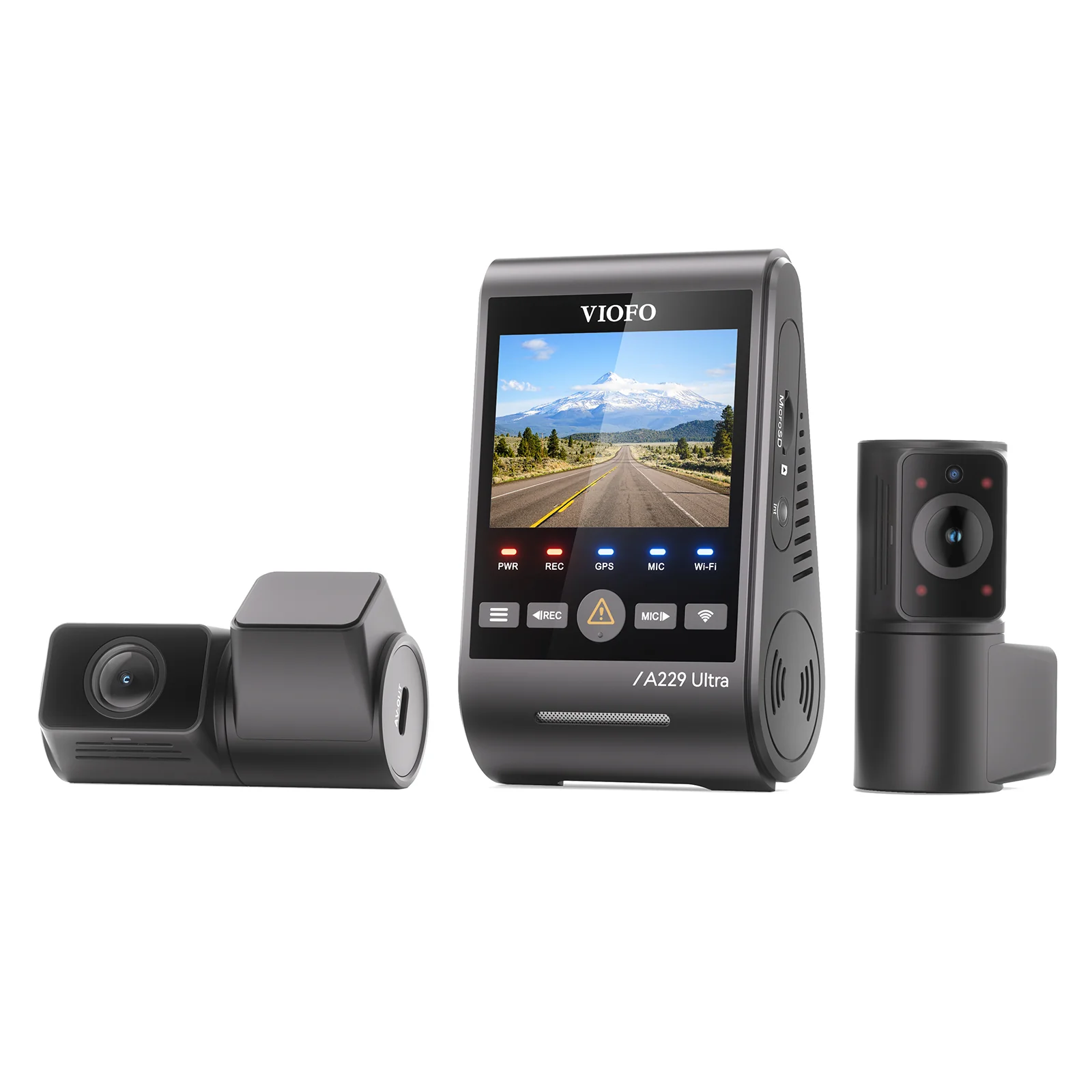
The Viofo A229 Pro Duo stands out as the best dash cam for most Tucson owners. It records 4K up front and 2K out back with Sony Starvis 2 sensors. Its supercapacitor design handles extreme cabin heat without battery swelling. The wedge-shaped body tucks behind the factory rearview mirror and never blocks your view of the road. A buffered parking mode captures impacts while the car sits parked in a driveway or lot.
Best Dash Cam for Hyundai Tucson — Compared
See how our top picks stack up side by side across resolution, channels, and ideal use case.
| # | Product | Resolution | Channels | Best For | Score | |
|---|---|---|---|---|---|---|
| 1 | Viofo A229 Pro Duo Editor’s Choice | 4K + 2K | Dual | Best Overall | 4.4 | See Latest Price |
| 2 | Vantrue E1 Top Pick | 2.5K QHD | Single | Best Budget | 4.3 | See Latest Price |
| 3 | BlackVue DR970X-2CH | 4K + 1080p | Dual | Best Premium | 4.3 | See Latest Price |
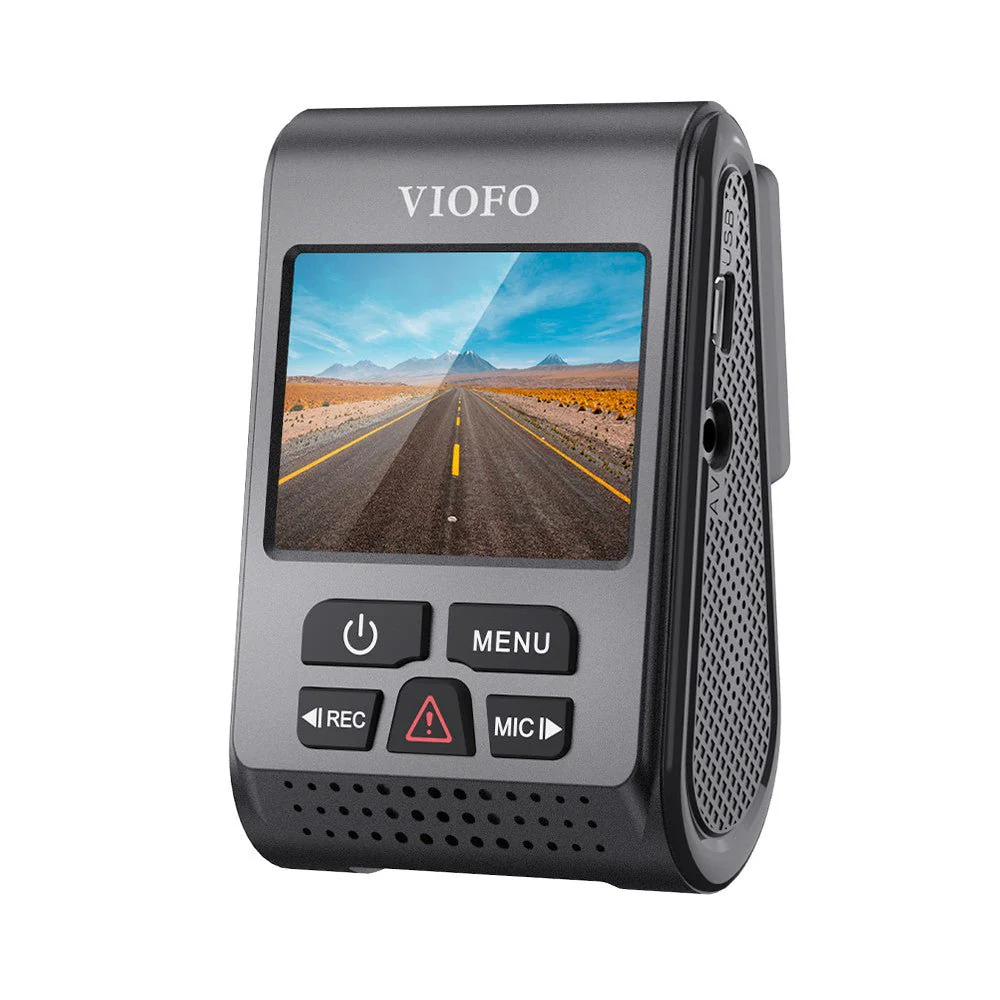
| 4 | Viofo A119 V3 | 2K QHD | Single | Most Durable | 4.4 | See Latest Price |
| 5 | Garmin Dash Cam Mini 2 Budget Pick | 1080p HDR | Single | Easiest Installation | 4.5 | See Latest Price |
Detailed Reviews
Full breakdown of each product — ratings, pros, cons, and our expert verdict.
Viofo A229 Pro Duo
- Dual Sony Starvis 2 sensors for 4K front + 2K rear
- Supercapacitor survives cabin temps above 150°F
- Buffered parking mode captures pre-impact footage
- 5GHz Wi-Fi transfers clips fast to your phone
- Requires a high-endurance microSD card (sold separately)
- Rear camera cable routing takes patience and trim tools
- No cloud connectivity for remote live viewing
Vantrue E1
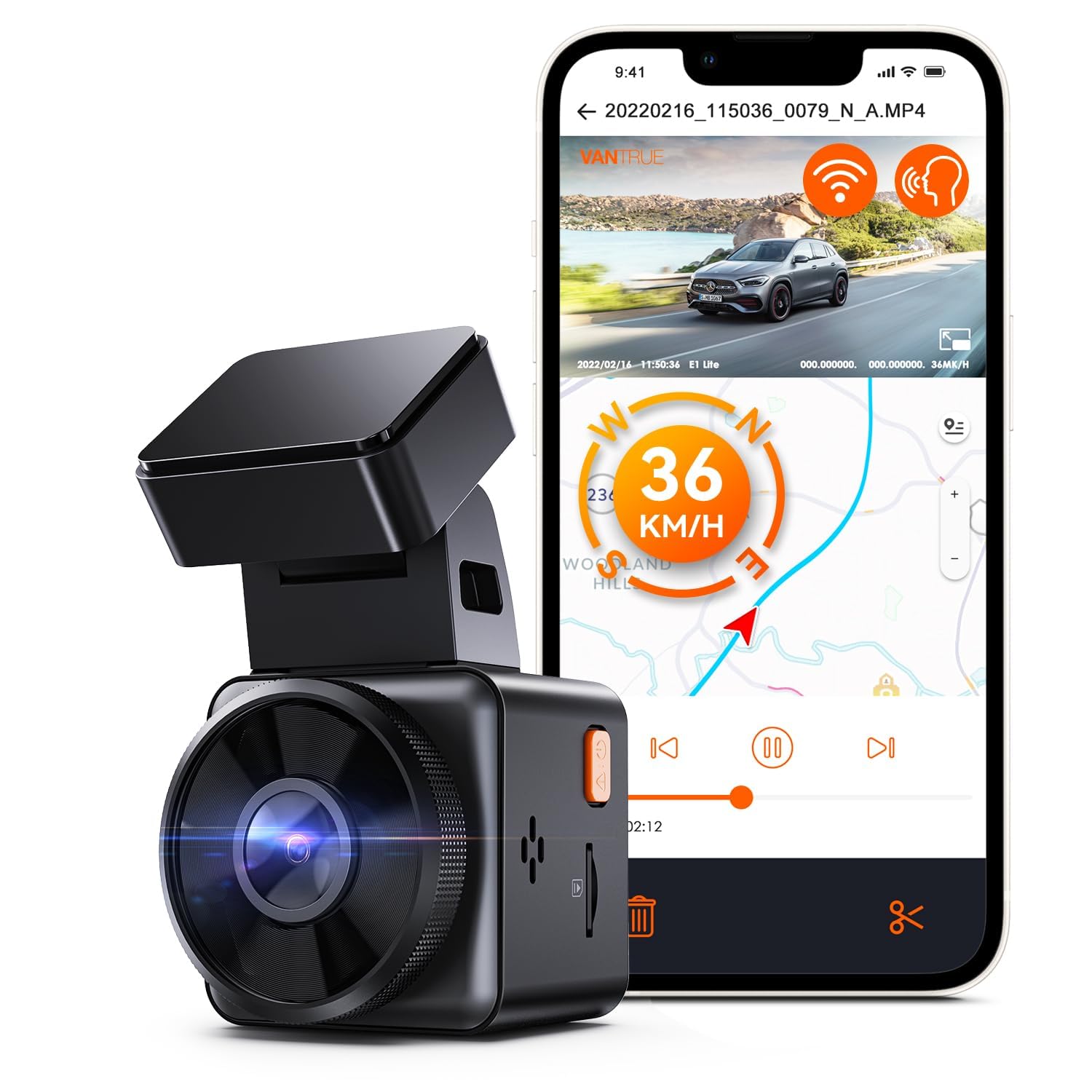
- 2.5K QHD resolution at 30 fps for crisp daytime plates
- Magnetic GPS mount stays firm on bumpy roads
- Voice control responds reliably even with cabin noise
- Compact body hides cleanly below the rearview mirror
- No rear camera support — front-only coverage
- Hardwire kit sold separately for parking mode
- No memory card included in the box
BlackVue DR970X-2CH
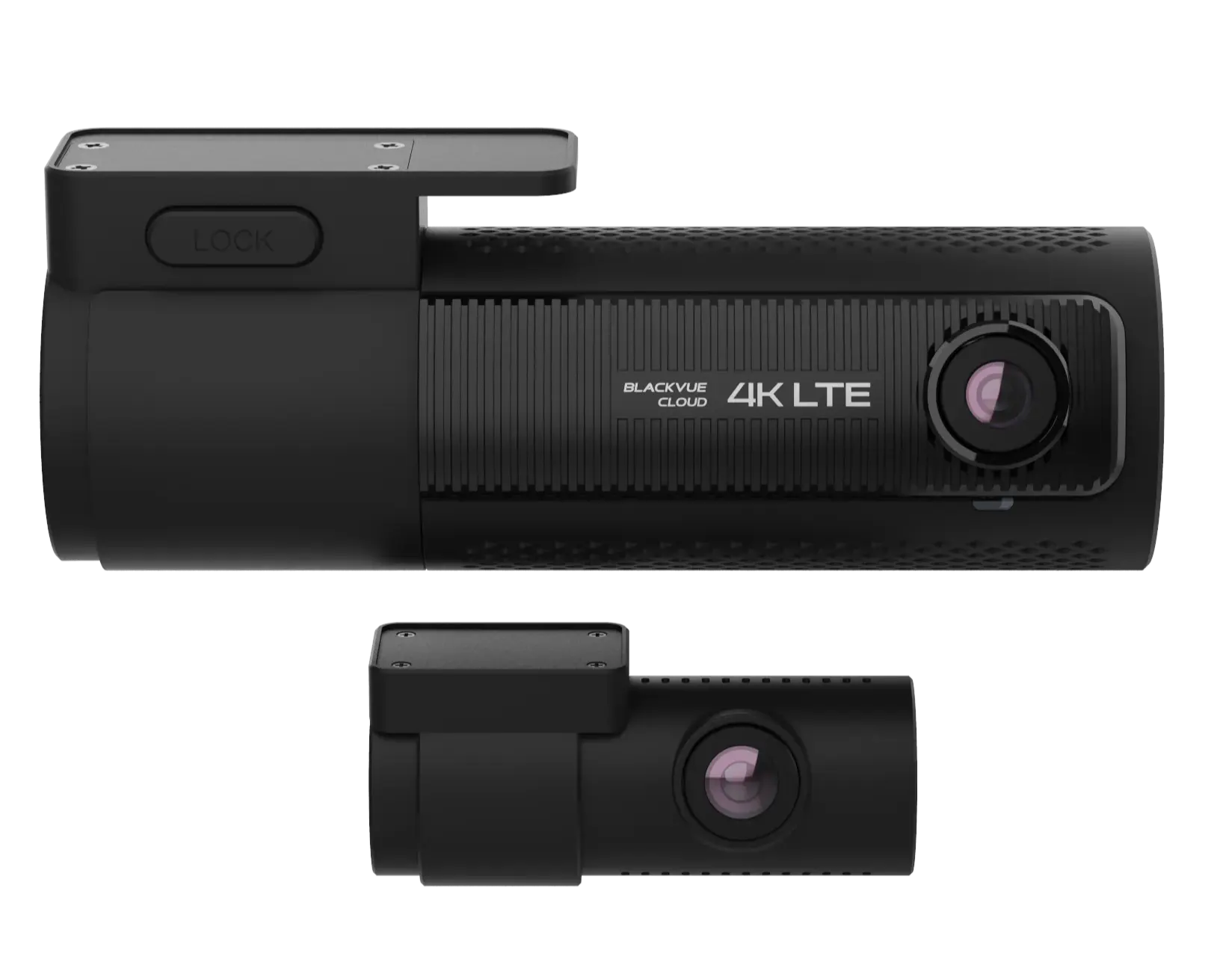
- Cloud live view with push notifications for impact alerts
- Sony Starvis 2 sensors for outstanding night plate capture
- Cylindrical body virtually disappears behind the mirror
- Reliable buffered parking mode with motion detection
- Significantly more expensive than other 4K dual-channel systems
- Cloud service requires a separate data plan or mobile hotspot
- Mobile app setup has a learning curve for first-time users
Viofo A119 V3
- Supercapacitor eliminates battery bulge risk entirely
- Rated for continuous operation in cabin temps exceeding 150°F
- Clean 2K QHD footage captures plates at speed
- Wedge adhesive mount tucks neatly behind the mirror
- No built-in Wi-Fi — physical SD card removal required for file transfer
- Button controls feel dated compared to app-based rivals
- Parking mode requires hardwiring to a constant power fuse
Garmin Dash Cam Mini 2
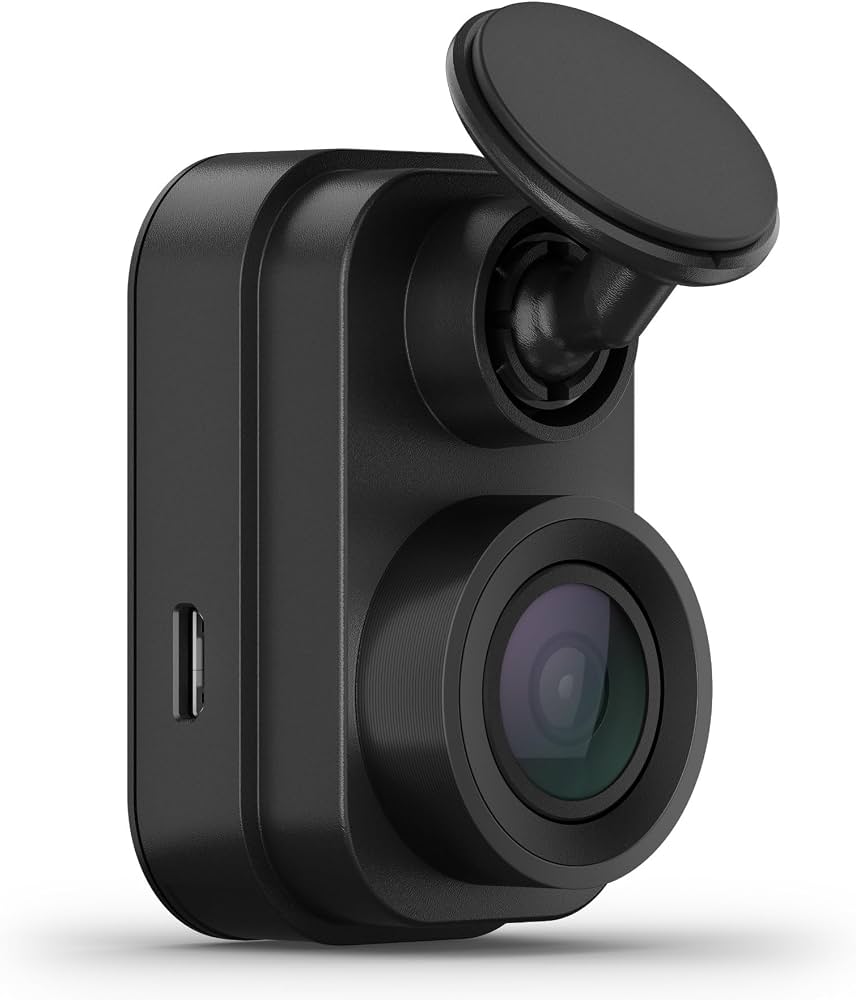
- Installs in under 10 minutes with a single adhesive pad
- Body is barely 2 inches wide — completely hidden behind mirror
- Garmin Drive app is polished and glitch-free for clip downloads
- Voice control for hands-free event saving
- 1080p resolution cannot match 2K or 4K rivals for fine detail
- No built-in display — you need your phone to check the camera angle
- No rear camera option for dual-channel coverage
Can’t Decide?
Our Top 2 Picks — Head to Head
Both are excellent. Here’s how to choose between them.
- Dual-channel 4K + 2K with Sony Starvis 2 sensors
- Supercapacitor handles 150°F+ cabin heat safely
- Buffered parking mode at roughly half the price of premium rivals
- Cloud live view with instant push notifications
- Ultra-discreet cylindrical body blends into the cabin
- Exceptional night footage with Sony Starvis 2 sensors
How to Choose the Right Dash Cam for Your Tucson
Six factors that matter before you buy — explained simply.
Compatibility With the Tucson Windshield
Most dash cams fit, but the mount shape matters. A wedge-style camera with an adhesive pad fits behind the factory rearview mirror better than a suction-cup cylinder. Make sure the lens sits below any tint strip and clears the plastic housing for the lane-keep assist camera and auto-dimming mirror.
Installation Difficulty
You can install a dash cam on a Tucson in 20 to 30 minutes. Tuck the power cable into the headliner, down the passenger A-pillar, and under the glovebox to the 12V socket. Hardwiring for parking mode requires fuse taps and a constant-power circuit — a car audio shop can handle it in under an hour if that feels daunting.
Capacitor vs. Lithium Battery Build
Choose a capacitor-based dash cam. The Tucson’s cabin gets dangerously hot when parked outdoors in summer. Lithium batteries swell and fail in that heat — sometimes after a single season. A supercapacitor handles extreme temperatures and keeps recording year after year without the bulge risk.
Warranty Terms and Heat Coverage
A 12-month warranty is typical. Brands like Viofo offer 18 months with product registration, and Garmin backs its cameras with strong customer support. Check whether the warranty explicitly covers heat-related damage — a parked SUV can become an oven, and some manufacturers exclude thermal failure from their policies.
Long-Term Reliability Signals
Read the long-term owner reviews. A dash cam with hundreds of verified buyers reporting three or more years of flawless operation signals strong reliability. Recurring complaints about SD card errors, random freezing, or adhesive mount failures in summer are red flags that predict headaches down the road.
Parking Mode Power Requirements
Plugging into the 12V socket only powers the camera when the ignition is on. If you want protection while parked at the grocery store or in your driveway overnight, you must hardwire the camera to a constant power fuse with a voltage cutoff. Without this, parking mode simply will not function.
Pro Tips
Quick Buying Checklist
Test-fit with tape first before sticking the adhesive mount — the Tucson’s sensor housing needs clearance.
Buy a high-endurance microSD card — Samsung Pro Endurance or SanDisk Max Endurance handle constant write cycles.
Factor in the hardwire kit cost if you want parking mode — it is usually sold separately.
Route the rear camera cable along the headliner — the Tucson’s liftgate makes rear mounting straightforward.
Related Guides
Other Hyundai Dashcam Guides
Also On CarAssists
More Guides for This Vehicle
Frequently Asked Questions
Are aftermarket dash cams safe to use in a Hyundai Tucson?
Yes. A dash cam mounts to the windshield and draws power from the 12V socket or fuse box. It does not interfere with the Tucson’s safety systems. As long as you do not block the forward camera housing behind the rearview mirror, the dash cam is completely safe and will not affect lane-keep assist or collision warning functionality.
Will installing a dash cam affect my Tucson’s warranty?
No. Installing a dash cam using the included 12V plug or a proper fuse tap does not void the manufacturer’s warranty. The Magnuson-Moss Warranty Act protects your right to add aftermarket electronics. A dealer would need to prove the dash cam directly caused a specific failure to deny a related warranty claim.
Can I use a dash cam with the Tucson’s rear window defroster?
Yes. Mount the rear camera on the interior glass away from the defroster grid lines. The adhesive pad sticks to glass without damaging the heating elements. The wide-angle lens captures the road clearly through the defroster lines, and most owners report no issues with defroster performance after mounting.
How long do dash cams typically last?
A quality capacitor-based dash cam can last 3 to 5 years or more. The memory card may need replacement every 1 to 2 years due to constant write cycles. Heat and poor-quality memory cards are the main factors that shorten a dash cam’s lifespan, especially in a vehicle that sits parked outdoors.
Which memory card works best in a dash cam for my Tucson?
Use a high-endurance microSD card with U3 speed. Samsung Pro Endurance, SanDisk Max Endurance, and Lexar High-Endurance cards all perform well under constant recording. A 64GB or 128GB card gives you plenty of loop recording space before older files get overwritten during normal driving.
How difficult is dash cam installation for a complete beginner?
A basic installation using the 12V socket is very easy — you only need to tuck a cable behind the headliner and A-pillar trim. A hardwire install for parking mode requires identifying a constant power fuse and using fuse taps, which is doable with a YouTube guide. Many first-timers complete it in under an hour.
Are premium dash cams worth paying significantly more for?
Premium dash cams add cloud connectivity, 4K resolution, and stealthier designs. They are worth it if you want remote monitoring from your phone, the sharpest night footage for reading plates, or a camera that disappears completely behind the mirror. For basic crash evidence, a good budget camera works fine.
Final Verdict
Our Top Recommendations for 2026
After evaluating real owner feedback, heat survival, video clarity, and fit behind the Tucson’s rearview mirror, the Viofo A229 Pro Duo remains our top recommendation for most drivers. It delivers sharp 4K dual-channel evidence, handles brutal cabin heat without breaking a sweat, and hides discreetly behind the mirror. For budget-conscious commuters, the Vantrue E1 punches far above its price with 2.5K clarity and a brilliant magnetic mount. If cloud connectivity and stealth matter most, the BlackVue DR970X-2CH justifies its premium price with remote live monitoring and near-invisible hardware.